10 Best OBD2 Apps Like BimmerLink in 2026

BimmerLink built its reputation on giving BMW and MINI owners dealership-level access from a phone, covering live data, service resets, and light coding without a trip to the shop. The catch is that BimmerLink and its coding-focused sibling BimmerCode only work through specific Bluetooth or Ethernet adapters, not the generic ELM327 dongle sitting in a junk drawer. Pick the wrong one and you’ll get a Bluetooth pairing screen that never connects, or a scanner that reads codes fine but refuses to touch coding functions entirely.
The right adapter depends on what you’re actually trying to do. Battery registration and basic diagnostics need far less hardware than full module coding on a G-series BMW. Platform matters too: some adapters are iPhone-friendly, some lean Android-only, and a few require a Windows laptop for serious coding work through ENET.
Matching the adapter to your BMW’s chassis code, your phone’s operating system, and the depth of coding you want to do prevents most of the frustration people run into with BimmerLink alternatives. We looked at wireless adapters built specifically for BimmerCode, general OBD2 scanners that happen to work with it, and one wired ENET cable for owners who want the most stable coding connection available.
Best overall for BimmerCode: OBDLink CX
Best for advanced live data across brands: OBDLink MX+
Best budget iOS-compatible scanner: Veepeak OBDCheck BLE
Best value BimmerCode-specific adapter: Vgate vLinker BM+
Best for BMW motorcycles: UniCarScan UCSI-2100
Best for deep F-Series coding: OHP ENET Cable
Best for EV and hybrid BMWs: iCar Pro 2S
Best low-power always-plugged-in option: LELink 2
Best for non-BMW household vehicles: AUTOPHIX 3210
Best budget Android-only reader: Veepeak Mini
OBDLink CX Bimmercode Adapter

This is the adapter to buy if BimmerCode coding is your primary goal and you want the closest thing to a guaranteed compatibility match.
Pros
- Officially recommended by the BimmerCode team
- Works on iOS, Android, and includes its own diagnostic app
- Overvoltage protection and sleep mode allow permanent installation
Cons
- Coverage gaps on some pre-2007 E-series models
- BimmerCode app sold separately
- Occasional Bluetooth drops reported on older chassis
BimmerCode’s own endorsement carries weight here since the app’s developers tested this hardware specifically against their coding protocols. Owners coding G-series and F-series BMWs report rock-solid connections during long coding sessions, which matters because a dropped connection mid-write can cause real problems. E46 owners should temper expectations, since several reviewers note incomplete BimmerCode support on that older platform despite the adapter itself working fine for basic OBD2 functions.
OBDLink MX+

Buy this one if you split time between a BMW and other makes, since it’s built for broad enhanced diagnostics rather than BMW coding specifically.
Pros
- Enhanced OEM support for Ford, GM, Toyota, Honda, Hyundai, and more
- Works across iOS, Android, and Windows
- Recommended by FORScan, Torque, Carista, and BimmerCode
Cons
- Pricier than dedicated BimmerCode adapters
- Coding depth on BMW trails the OBDLink CX
- Windows setup has a learning curve for first-time users
The MX+ reads ABS, SRS, and TPMS data most basic scanners miss, which appeals to owners who want dealership-style diagnostics on multiple household vehicles. For a household running a BMW alongside a Ford or Toyota, one adapter covering enhanced diagnostics on all of them beats owning several single-brand tools. BMW-specific coding still favors the CX, but live data and check-engine work are excellent here.
Veepeak OBDCheck BLE

Choose this if you want an affordable iPhone-compatible scanner for general diagnostics with occasional BimmerCode use on newer BMWs.
Pros
- Bluetooth LE works reliably with iOS, unlike Classic Bluetooth scanners
- Compatible with Car Scanner, Torque, and BimmerCode on supported models
- Included carrying case and clear setup instructions
Cons
- Pre-2008 BMWs not supported with BimmerCode or BimmerLink
- G and U-series BMWs excluded from BimmerCode compatibility
- No support for advanced module coding like injector or EPB functions
This scanner earns its popularity through pure accessibility: it’s inexpensive, pairs correctly on iPhone where many BLE dongles fail, and handles everyday check-engine diagnostics without complaint. BMW owners should read the compatibility notes carefully, since BimmerCode support has firm chassis-code cutoffs. For a Mini Cooper Clubman owner in the reviews, it worked well alongside the brand’s native app, but this is a diagnostics tool first and a coding tool second.
Vgate vLinker BM+
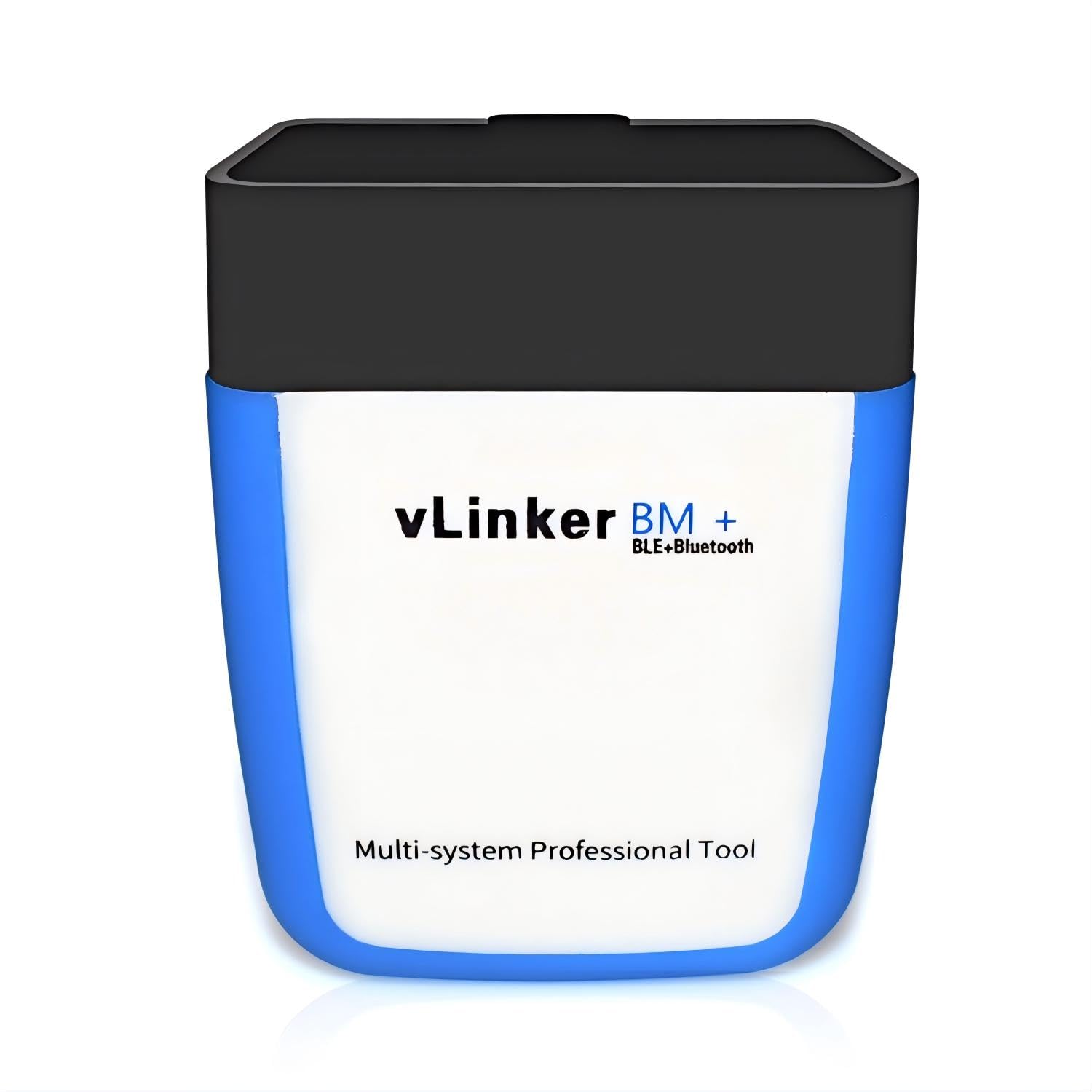
This adapter suits Android-first BMW owners who want dedicated BimmerCode hardware without paying OBDLink pricing.
Pros
- Purpose-built for BimmerCode, BimmerLink, and Carista
- Ultra-low sleep current makes permanent installation safe
- Compact size, smaller than many competing adapters
Cons
- iOS has connection limitations on pre-2008 E/R-series BMWs
- Reports of DOA units failing to pair on arrival
- Newer chassis like the 2023 X1 have shown limited function support
Android users get the fullest BimmerCode experience here, since the manufacturer explicitly recommends Android over iOS for older E-series and R-series models. Battery registration success stories appear repeatedly in owner feedback, including drivers who avoided $3,000 dealership battery replacements by handling the reset themselves. Quality control is inconsistent enough that a defective unit isn’t unheard of, so test the connection immediately after purchase.
UniCarScan UCSI-2100

Riders with BMW motorcycles should look here first, since this is one of the few adapters officially recommended by the MotoScan app.
Pros
- Recommended by both BimmerCode and MotoScan developers
- Covers BMW motorcycles from 1998 onward
- Works across iOS, Android, and Windows
Cons
- Some iOS users report connection failures despite listed compatibility
- Pricier once MotoScan’s one-time app fee is factored in
- Lower overall satisfaction scores than the OBDLink lineup
Motorcycle owners resetting service intervals on an R1250GS or coding features on an S1000RR get functionality that few other adapters on this list touch. Car and SUV owners get solid BimmerCode coverage too, though the standout use case is clearly the motorcycle side. iPhone pairing issues show up often enough in feedback that Android users should expect a smoother setup.
OHP ENET Cable

Serious coders working on F-series, G-series, or I-series BMWs should own this cable for the stability a wired Ethernet connection provides over Bluetooth.
Pros
- Shielded CAT5e construction with gold-plated RJ45 connector
- Compatible with ISTA+, E-SYS, and Bootmod3 alongside BimmerCode
- No Bluetooth pairing issues since it’s a direct wired connection
Cons
- Requires a Windows PC (or virtual machine on Mac)
- Not compatible with E-series chassis, which need a K+DCAN cable instead
- Overkill for owners who only want check-engine diagnostics
ENET cables bypass wireless interference entirely, which matters during long coding sessions where a dropped connection can leave a module half-written. Owners running ISTA+ for dealership-level diagnostics alongside BimmerCode for quick coding tweaks get both from one cable. This isn’t a BimmerLink-style phone tool, since it demands a laptop, but for F-series and newer BMW owners doing real coding work, it’s the most dependable connection type available.
iCar Pro 2S

Owners of electric or hybrid BMWs, including the i4 and iX lineup, should consider this adapter for its remote wake-up support on EV platforms.
Pros
- Bluetooth 5.2 with fast 3Mbps data transfer for demanding EV data streams
- Auto sleep and remote wake-up designed for electric and hybrid vehicles
- Compatible with BimmerCode, Torque, Car Scanner, and other ELM327 apps
Cons
- Firmware updates have bricked units for some buyers
- Best Sellers Rank suggests a smaller, newer user base than OBDLink
- BMW-specific coding depth untested compared to dedicated BimmerCode adapters
EV and hybrid diagnostics demand a scanner that can wake a vehicle’s electronics from a low-power state without draining the traction battery, and this adapter’s remote wake-up feature is built for exactly that. One reviewer used it to code an i4 M50 through BimmerCode without issue, calling out the stable connection during ECU-level access. The firmware update complaints are worth noting: a couple of buyers say updating through the manufacturer’s software left their unit non-functional.
LELink 2

This adapter fits owners who want an always-plugged-in scanner without worrying about parasitic battery drain, though it’s not a BimmerCode tool.
Pros
- Zero-power standby mode with configurable auto on/off
- Works with EV-focused apps like LeafSpy Pro and custom PID logging
- Cross-platform support for iOS and Android
Cons
- Not compatible with BimmerCode or BimmerLink
- Setup with certain apps requires manual configuration
- Best suited to non-BMW EVs like the Nissan Leaf
This is the outlier on this list: it’s a strong general-purpose OBD2 adapter, particularly for Nissan Leaf owners running LeafSpy, but it won’t get a BMW owner into BimmerCode. BMW owners with a second EV in the household, or those wanting custom PID monitoring on an older non-BMW vehicle, get real value here. Anyone shopping specifically for BimmerLink-style BMW functionality should look elsewhere on this list.
AUTOPHIX 3210
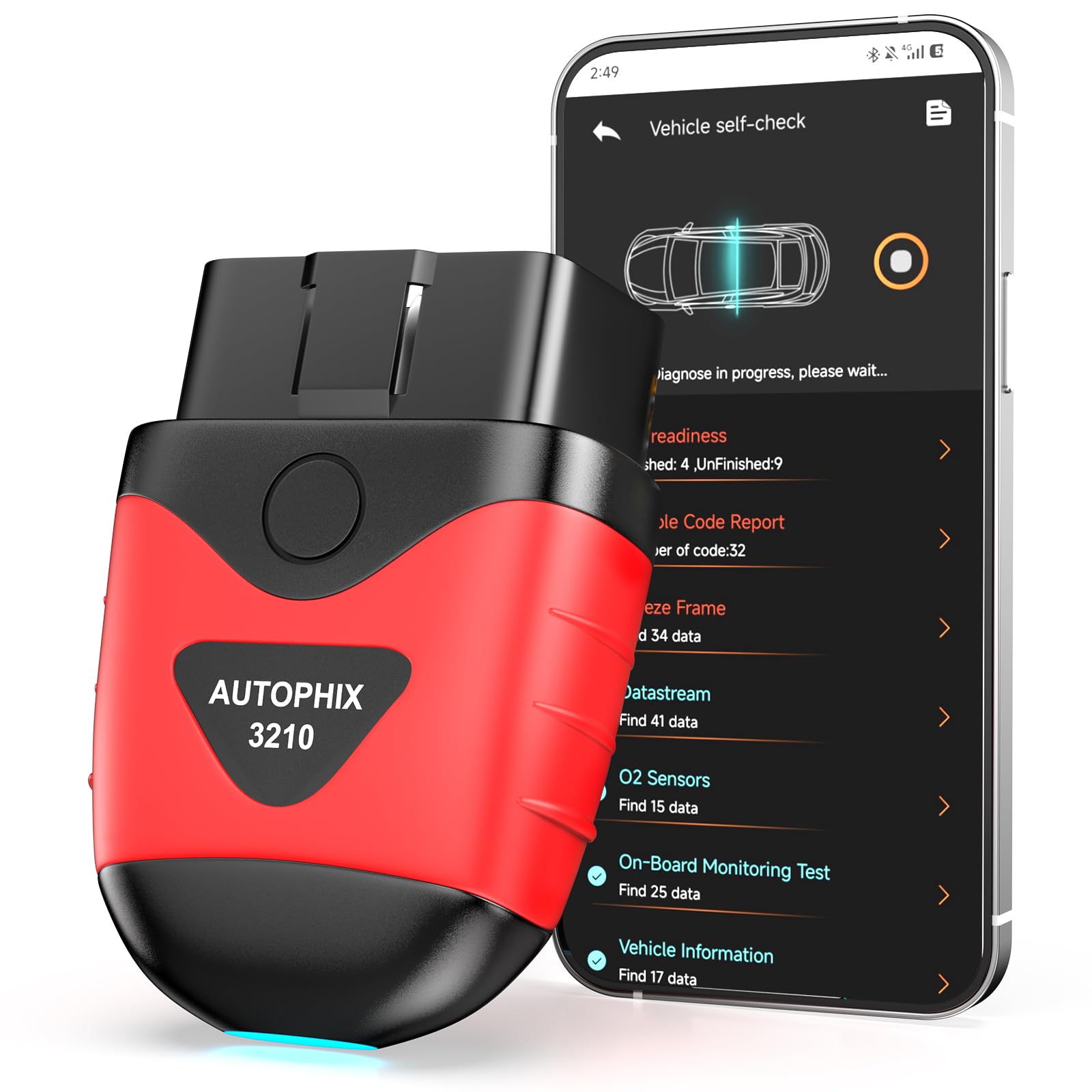
Households juggling a BMW alongside domestic and Asian-brand vehicles will get the most mileage from this scanner’s broad compatibility.
Pros
- Free app with no subscription fees or ads
- I/M readiness checks help pre-clear smog test failures
- Live data dashboard shows MAF, throttle position, and spark advance
Cons
- No BimmerCode or BimmerLink compatibility
- Doesn’t clear ABS, SRS, or transmission codes
- Advanced emissions features skip pre-2008 vehicles
This scanner covers thousands of models across American, European, and Asian brands, making it a practical second tool for a garage with more than just a BMW. The 0-60 test feature is a nice touch for verifying a repair actually fixed a performance issue rather than just clearing the code. It won’t touch BMW coding, so treat it as a diagnostics complement to a BimmerCode-specific adapter, not a replacement.
Veepeak Mini

Android users who only need basic check-engine diagnostics on a budget should consider this, but iPhone owners need to skip it entirely.
Pros
- Competitively priced for basic OBD2 diagnostics
- Strong live sensor data stream for Torque and Car Scanner
- Compact, low-profile design
Cons
- No iOS support whatsoever, Classic Bluetooth only
- Not compatible with BimmerCode or BimmerLink
- No ABS, SRS, or manufacturer-specific coding functions
Classic Bluetooth keeps this adapter locked out of iPhone entirely, which the listing states plainly and reviewers confirm repeatedly. Android owners get dependable check-engine and live-data performance for the price, with several reviewers using it successfully for years before needing a replacement. BMW owners chasing BimmerLink-style coding should treat this as a basic diagnostics backup at best, not a primary tool.
Buying Guide
Match the Adapter to Your Coding Software First
BimmerCode, BimmerLink, and Carista each maintain their own hardware compatibility lists, and a scanner that reads generic OBD2 codes fine may still refuse to run coding functions. Check the software developer’s own compatibility page before buying, since chassis-code cutoffs (particularly around 2007-2008 and G-series models) vary between apps.
Connection Type: Bluetooth Versus Wired ENET
| Connection | Best For | Tradeoff |
|---|---|---|
| Bluetooth Classic | Android-only basic diagnostics | No iPhone support |
| Bluetooth LE | iOS and Android diagnostics | Some coding apps still limited |
| Bluetooth 5.x | BimmerCode coding on newer chassis | Occasional drops on older cars |
| Wired ENET | F/G/I-series deep coding via laptop | Requires Windows PC |
Operating System Support
Confirm iOS, Android, and Windows support before purchase, since several budget scanners work only with Android. Windows is required for ENET-cable coding through ISTA+ or E-SYS, so laptop-based coders need a wired option rather than a phone-only adapter.
BMW Chassis Considerations
E-series BMWs built before 2008 have documented compatibility gaps with BimmerCode across nearly every adapter on the market, not just one brand. F-series and newer models get the fullest coding support, while E-series owners may need a K+DCAN cable instead of ENET.
EV and Hybrid Suitability
Electric and hybrid BMWs benefit from adapters with remote wake-up and low sleep current, since these prevent 12V battery drain during long periods of vehicle inactivity. Look for stated support for EV-specific data streams if you’re scanning an i4, i5, or iX.
Permanent Installation Safety
Overvoltage protection and low standby current let an adapter stay plugged in without draining the car battery. This matters most for owners who want ongoing live-data logging rather than occasional plug-in diagnostics.
Editor’s Choice
The OBDLink CX stands out as the closest match to a true BimmerLink-style experience for most BMW and MINI owners. It carries the BimmerCode team’s own recommendation, supports both iPhone and Android, and includes overvoltage protection for owners who want to leave it installed permanently.
Owners who split time between a BMW and other makes should pair it with, or consider instead, the OBDLink MX+ for its enhanced diagnostics across Ford, Toyota, Honda, and other brands. Coders working on F-series or newer chassis who want the most stable connection for long coding sessions should add the OHP ENET Cable to their toolkit, since wired connections eliminate the Bluetooth dropout risk entirely during module writes.
Conclusion
Picking the right BimmerLink alternative comes down to matching hardware to your BMW’s chassis code, your phone’s operating system, and how deep into coding you plan to go. The OBDLink CX covers the widest range of BimmerCode use cases with the most reliable connection quality, while the OHP ENET cable serves owners doing serious F-series and G-series coding work from a laptop. Budget scanners like the Veepeak options handle everyday check-engine diagnostics well but stop short of coding entirely.
Before buying anything, confirm your BMW’s model year against the adapter’s stated compatibility and the coding app’s own requirements. A ten-minute compatibility check saves the frustration of a scanner that pairs perfectly over Bluetooth but refuses to unlock a single coding function.
FAQS
Does BimmerLink work with any Bluetooth OBD2 adapter? No. BimmerLink and BimmerCode require adapters from their approved compatibility list, typically OBDLink or Vgate vLinker products. Generic ELM327 dongles often pair over Bluetooth but fail during actual coding commands.
Can I use BimmerCode on an iPhone? Yes, with the right adapter. OBDLink CX and Veepeak OBDCheck BLE both support iOS, though older E-series and R-series BMWs have documented iOS connection limitations that Android handles better.
What’s the difference between BimmerLink and BimmerCode? BimmerLink focuses on diagnostics, live data, and service resets like battery registration. BimmerCode specializes in deeper module coding, such as enabling hidden features or changing drive mode behavior.
Do I need a wired ENET cable instead of Bluetooth? Only for extensive coding sessions on F-series, G-series, or I-series BMWs using ISTA+, E-SYS, or Bootmod3. Casual BimmerCode users on newer chassis get reliable results from Bluetooth adapters.
Will these adapters work on my BMW motorcycle? The UniCarScan UCSI-2100 is built specifically for BMW motorcycles from 1998 onward and is recommended by the MotoScan app. Most car-focused adapters on this list aren’t designed for motorcycle diagnostics.
Can I code an electric BMW like the i4 with these adapters? Yes, the iCar Pro 2S includes remote wake-up support designed for EV and hybrid platforms, and reviewers report successful BimmerCode sessions on the i4 M50. Standard adapters without EV-specific sleep management can struggle with electric vehicle wake states.
