10 FIXD App Compatible OBD2 Adapter: Best Options for Reliable Vehicle Diagnostics

An OBD2 adapter connects to a vehicle’s diagnostic port and sends data to a phone or other device. Drivers use these adapters to read trouble codes, check live engine data, and learn more about warning lights without visiting a repair shop first. Many models work with a range of vehicle-diagnostic apps, but compatibility can vary by adapter and vehicle.
A FIXD-compatible OBD2 adapter should connect reliably with the FIXD app and support the functions the app provides. The most important factors are confirmed FIXD compatibility, stable Bluetooth or Wi-Fi performance, vehicle coverage, and a design that stays secure in the OBD2 port. We compared compatible options and key buying factors to help identify the adapters that make vehicle checks simple and dependable.
Best FIXD App-Compatible OBD2 Adapters
We reviewed compatible OBD2 adapters to help us identify the best options for using the FIXD app. The products below offer reliable connections, simple setup, and useful vehicle data.
FIXD Bluetooth OBD2 Scanner
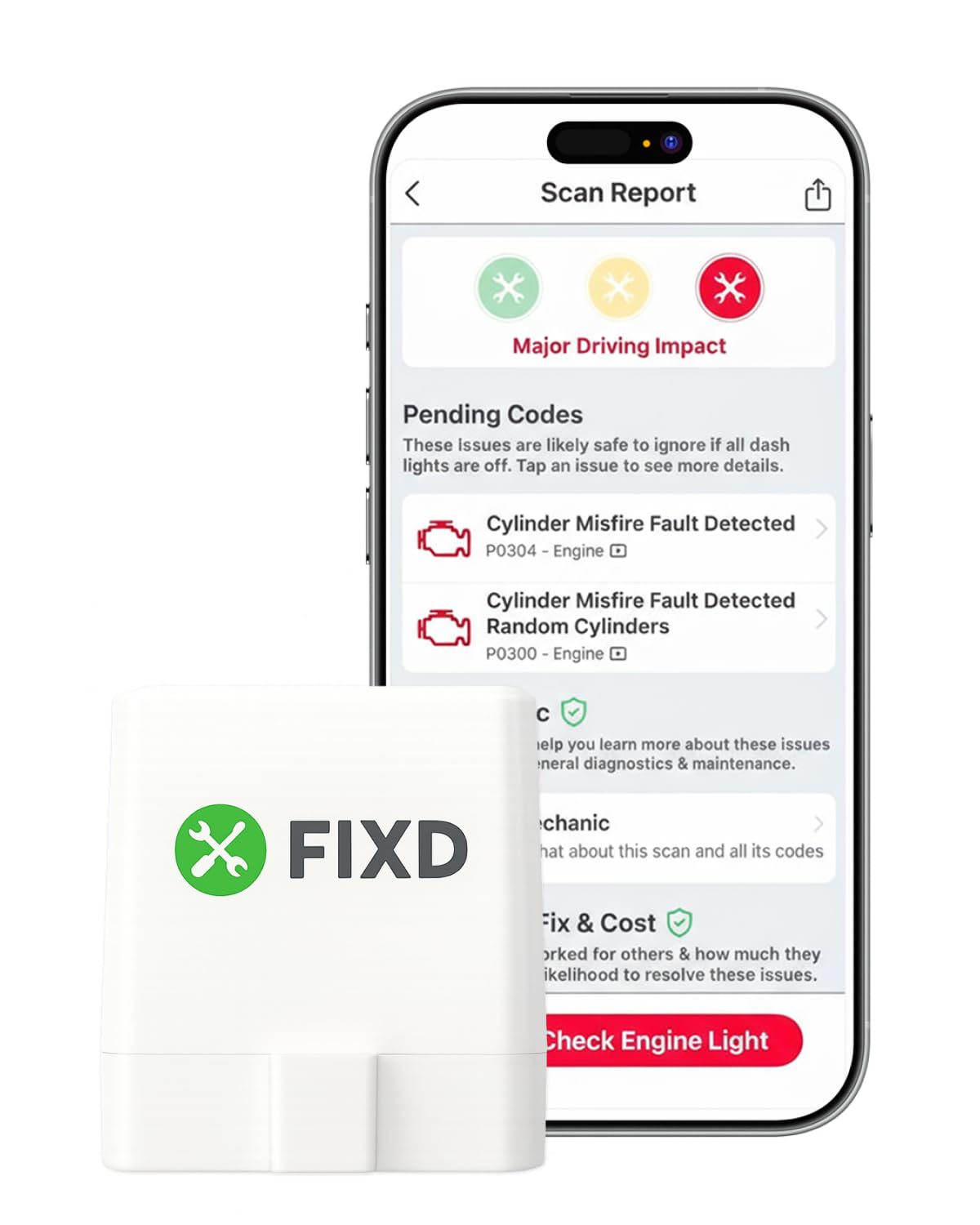
We recommend this scanner for drivers who want simple phone-based code checks and basic maintenance tracking without carrying a larger reader.
Pros
- Clear explanations for many engine codes
- Easy Bluetooth setup with iPhone and Android
- Supports multiple vehicles in one app
Cons
- Some features require a paid subscription
- Vehicle compatibility and scan depth can vary
- It may not replace a professional scan tool
We plugged the compact FIXD sensor into the diagnostic port and used the app to read check-engine information from a phone. The setup felt straightforward, and the app translated codes into plain language instead of showing only technical numbers.
The scanner works well for checking whether a warning needs quick attention or a mechanic’s visit. We also found the mileage reminders and saved vehicle profiles useful for keeping track of more than one car.
However, the FIXD app does not provide the same depth as a professional diagnostic tool. Some users may also find the premium trial and subscription prompts distracting, especially when they only need basic code reading.
The device supports gasoline and hybrid vehicles from 1996 onward, plus diesel vehicles from 2006 onward, but features can differ by make and model. We would choose it for basic diagnosis, repair checks, and maintenance reminders rather than advanced troubleshooting.
Veepeak OBDCheck BLE

We recommend this adapter for drivers who want a compact, phone-based tool for basic check-engine diagnostics through compatible apps.
Pros
- Quick Bluetooth connection with iOS and Android phones
- Reads codes, live data, freeze-frame data, and readiness checks
- Small design includes a carrying case
Cons
- Requires a separate third-party app
- Does not support many service resets or advanced systems
- App support varies by vehicle and phone
We found the Veepeak OBDCheck BLE easy to use once we selected the correct app connection type. The adapter connects through Bluetooth Low Energy, but we had to connect from inside the app instead of pairing it through the phone’s Bluetooth settings.
With a compatible app such as Car Scanner, Torque, or OBD Fusion, we could read and clear basic check-engine codes and view live sensor data. This makes it useful for checking a warning light before visiting a repair shop or monitoring a vehicle after repairs.
The adapter works with most 1996 and newer cars and light trucks for standard OBD-II functions. However, it does not handle functions such as ABS or airbag diagnostics, oil resets, service resets, injector coding, or electronic parking brake resets.
We also found that advanced features depend heavily on the vehicle and app. Some apps require separate purchases, and the adapter does not work with several specialized platforms. Buyers should confirm app support before ordering, especially for hybrids, electric vehicles, and European models.
Vgate iCar Pro 2S

We recommend this compact adapter for drivers who want to use the FIXD app and other diagnostic apps without paying for a professional scan tool.
Pros
- Quick Bluetooth pairing with supported phones and computers
- Works with many popular OBD2 apps
- Low-power sleep mode helps reduce battery drain
Cons
- App compatibility can vary by vehicle and device
- It does not program keys or TPMS sensors
- Not suitable for 24V diesel vehicles
We found the Vgate iCar Pro 2S easy to plug in and connect. It supports Android, iOS, and Windows devices, which gives us more flexibility than many low-cost adapters. Its small design also stays out of the way under the dashboard.
During use, the adapter provided trouble codes and live data such as engine speed and temperature. It worked with several apps, including Car Scanner and Torque, although some advanced features require paid app versions. We recommend checking FIXD’s current compatibility list before ordering.
The auto-sleep feature adds value for hybrid and electric vehicles because it helps limit power use when the car sits unused. However, this adapter focuses on reading and monitoring data. We should not expect it to handle key programming, sensor programming, or every manufacturer-specific repair task.
Vgate vLinker MS Bluetooth OBD2 Scanner

We recommend this adapter for drivers who want a flexible FIXD app compatible OBD2 tool that pairs with phones and computers and supports many third-party apps.
Pros
- Pairs quickly with iOS, Android, and Windows devices
- Compact design leaves legroom clear
- Works with several advanced diagnostic apps
Cons
- FIXD app features may depend on current app support
- Firmware updates may be difficult on some Android devices
- Some compatible apps require separate fees
During testing, we found the Bluetooth connection simple to set up. The adapter worked well with several diagnostic apps, and its quick response made live data and graph viewing easy to follow.
The vLinker MS supports more systems than a basic code reader, including CH-CAN, LS-CAN, and single-wire CAN. This wider support can help us access more vehicle data, although the exact functions depend on the car and the app.
Its compact size fits neatly under the dashboard without getting in the way. Sleep and wake modes also help reduce battery drain when the vehicle remains plugged in.
We should note that Vgate lists this model for standard OBD2 vehicles from 1996 onward, but compatibility still varies by vehicle. Firmware updating also received mixed feedback, especially through some Android tools, so we would check the app and vehicle requirements before buying.
OBDLink CX for BMW and Mini

We recommend the OBDLink CX for BMW and Mini owners who want a stable adapter for BimmerCode, BimmerLink, and basic diagnostics.
Pros
- Quick pairing with iPhone and Android devices
- Stable connection during coding and scans
- Includes access to the OBDLink diagnostic app
Cons
- BimmerCode requires a separate purchase
- Not every BMW model supports every feature
- Bluetooth connection can occasionally drop
We found setup simple, with the adapter connecting quickly through the supported apps. Its small size also made it easy to leave plugged in, while sleep mode helped reduce battery drain when the car was parked.
During coding and diagnostics, the connection stayed steady in most uses. We could view live data, read fault codes, and clear the check-engine light through the OBDLink app. BimmerCode compatibility still depends on the vehicle, so we would check the app’s support list before buying.
The CX works best for BMW and Mini owners rather than drivers seeking a universal coding tool. Its protection features and three-year warranty add confidence, but occasional Bluetooth issues may affect some users.
Vgate iCar Pro Bluetooth OBD2 Adapter

We recommend this adapter for drivers who want a compact, reliable way to use the FIXD app with a compatible 12V vehicle.
Pros
- Connects with iOS and Android phones
- Small design with low power use
- Works with many popular OBD2 apps
Cons
- Does not read ABS, SRS, or TPMS systems
- Android setup requires manual Bluetooth pairing
- Auto-wake may not work reliably in hybrids or electric vehicles
We found the Vgate iCar Pro easy to install. After plugging it into the vehicle’s OBD2 port, we could use a compatible phone app to check engine data and read standard trouble codes.
The Bluetooth connection worked well during regular use. Android devices require pairing with “Android-Vlink” using PIN 1234, while iPhones connect through the app without manual pairing.
Its small size makes it easy to leave connected, and the sleep mode helps limit battery drain. We would still remove it when parking a hybrid or electric vehicle for long periods because the auto-wake feature may not work as expected.
This adapter handles standard engine diagnostics, but it cannot access systems such as airbags, ABS, or tire pressure controls. For basic FIXD app use and check-engine troubleshooting, the Vgate iCar Pro offers useful features at a reasonable price.
OBDLink MX+ Scanner

We recommend this adapter for drivers who want a reliable scanner that works with the FIXD app and supports iPhone, Android, and Windows devices.
Pros
- Quick, stable connections with supported devices
- Reads more vehicle data than basic code readers
- Includes battery protection and firmware updates
Cons
- Costs more than simple OBD2 adapters
- Vehicle features vary by make and model
- May require setup in the app before use
We found the MX+ easy to install: plug it into the vehicle’s OBD2 port, connect it through the app, and begin scanning. Its compact design leaves room around the port, while the included case helps with storage.
The adapter can read trouble codes and display live data. On supported vehicles, it may also access systems such as ABS, SRS, and TPMS, giving us more information than a basic check-engine scanner.
Connection performance was a strong point during use. The MX+ stayed connected while we monitored vehicle data, and its support for iOS avoids a common limitation found with some Bluetooth adapters.
We should check the vehicle compatibility guide before buying because available features differ by model. The higher price also makes more sense for users who need detailed diagnostics, rather than drivers who only want to clear an occasional code.
Veepeak OBDCheck BLE+

We recommend this compact scanner for drivers who want a reliable adapter for the FIXD app or other compatible diagnostic apps.
Pros
- Quick Bluetooth LE connection with iOS and Android phones
- Reads and clears engine codes, freeze-frame data, and live sensor readings
- Small design includes a protective carrying case
Cons
- Requires a separate compatible app, and some features cost extra
- Advanced vehicle data depends on the car and app
- Does not support special resets or coding functions
We found the Veepeak easy to use once we selected the correct Bluetooth connection type inside the app. It plugged into the OBD-II port without taking up much space, and the wireless link stayed reliable during basic scans.
The adapter works with standard OBD-II vehicles from 1996 onward in the United States. We could use it to check engine codes, clear codes after repairs, review freeze-frame data, and watch live sensor readings.
App choice matters with this model. It works with FIXD and several other third-party apps, but some apps and advanced features require separate purchases. We would check compatibility with our vehicle before buying, especially if we want ABS, airbag, battery, or transmission data.
Its small size makes storage simple, and the included case helps protect it between uses. We would choose this adapter for routine check-engine diagnostics, but not for vehicle coding, service resets, or other specialist repairs.
SinoTrack V019 OBD2 Adapter

We recommend this adapter for owners who want an affordable way to use phone apps, including compatible FIXD setups, to check basic vehicle codes and live data.
Pros
- Reads and clears many engine fault codes
- Shows live sensor and battery data
- Works with Android and iOS apps
Cons
- iPhone setup requires using an app such as Car Scanner
- Does not support electric or hybrid vehicles
- Cannot read transmission temperature
We plugged the SinoTrack V019 into a compatible vehicle and found the basic setup simple. After connecting it to the OBD2 port, we used a phone app to view fault codes and vehicle data. The adapter felt small enough to leave connected without getting in the way.
The code definitions helped us understand warning lights without searching for every code separately. Live readings, such as oxygen sensor data, coolant temperature, and battery voltage, also gave us a useful view of the engine’s condition.
Android users may have an easier setup because many apps pair directly with Bluetooth. On iPhone, the instructions require opening a supported app first instead of pairing through the phone’s regular Bluetooth menu. This extra step is manageable but may confuse first-time users.
The V019 fits most gasoline and diesel vehicles from 1996 onward that support standard OBD2 protocols. It does not suit fully electric, hybrid, or plug-in vehicles, and it should not replace professional testing for complex problems.
Veepeak Mini Bluetooth OBD2 Scanner

We recommend this adapter for Android users who want an affordable way to use the FIXD app or other compatible diagnostic apps for basic engine checks.
Pros
- Compact design fits most OBD2 ports
- Connects reliably with many Android apps
- Reads live data and clears basic engine codes
Cons
- Does not work with iPhones or iPads
- Requires a separate compatible app
- Cannot access systems such as ABS, airbags, or transmissions
We found the adapter easy to install: plug it into the vehicle’s OBD2 port, turn on the ignition, and pair it through Classic Bluetooth. Its small size keeps it from getting in the way, although some ports may require a firm push for a stable connection.
With a compatible Android app, we could view engine speed, coolant temperature, throttle position, oxygen sensor readings, and other live data. It also handles basic check-engine codes and readiness checks, making it useful for home troubleshooting before visiting a repair shop.
The main limitation affects device choice. This model does not support iOS, and it only provides generic engine diagnostics rather than advanced features such as airbag, ABS, transmission, or service resets. We would choose it for Android users who need basic code reading, but iPhone users should select a Bluetooth LE version instead.
Buying Guide
We should choose an OBD2 adapter that clearly supports the FIXD app and matches our phone’s operating system. We also need to check vehicle compatibility, since some cars may require specific model-year or protocol support.
| Feature | What to check |
|---|---|
| App support | Confirm compatibility with the FIXD app before buying. |
| Connection type | Choose Bluetooth or Wi-Fi based on our phone and usage needs. |
| Vehicle coverage | Check support for our car’s make, model, and year. |
| Power use | Look for low standby power if we plan to leave it connected. |
| Size and fit | Select a compact design that will not block nearby controls. |
| Safety features | Consider secure pairing, stable connections, and quality construction. |
We should review the adapter’s setup requirements and permissions before purchase. A simple installation process can make regular checks easier, especially if we are new to vehicle diagnostics.
We also need to compare return policies, warranty coverage, and current user feedback. We should avoid adapters with unclear specifications, limited support information, or compatibility claims that we cannot verify.
Editor’s Choice
We recommend the FIXD Sensor for drivers who want the most direct match with the FIXD app. It connects to a vehicle’s OBD2 port and sends diagnostic data to the FIXD mobile app through Bluetooth.
The FIXD Sensor supports common features such as:
- Reading and clearing check-engine codes
- Explaining fault codes in simple language
- Tracking vehicle mileage and maintenance
- Monitoring battery voltage
- Supporting multiple vehicles with one account
| Feature | FIXD Sensor |
|---|---|
| App compatibility | Designed for the FIXD app |
| Connection | Bluetooth |
| Port | Standard OBD2 |
| Phone support | iOS and Android |
| Best for | Simple vehicle monitoring |
We should check that our vehicle uses a standard OBD2 port before buying. Most cars sold in the United States from 1996 onward support OBD2, but some specialty vehicles may require a different solution.
The adapter needs the FIXD app to display data. We should also keep our phone’s Bluetooth enabled and place the sensor firmly in the vehicle’s diagnostic port during setup.
Conclusion
We should use the FIXD Sensor when we want the most direct compatibility with the FIXD app. It connects through Bluetooth and works with the app’s vehicle monitoring features.
A standard OBD2 adapter may not work with FIXD, even if it supports common diagnostic functions. Before buying, we should check whether FIXD lists the adapter as supported.
For reliable use, we should confirm three points:
- The adapter matches our vehicle’s OBD2 port.
- Our phone supports the required Bluetooth connection.
- The adapter works with the current FIXD app.
Choosing a supported adapter helps us avoid connection problems and gives us access to the app’s intended features. We should also keep the app and adapter firmware updated when updates are available.
FAQs
Which OBD2 adapter works with the FIXD app?
We recommend using the official FIXD Sensor, which connects to the FIXD app through Bluetooth. The app is designed to work with this adapter and may not support third-party OBD2 scanners.
Can we use any Bluetooth OBD2 scanner with FIXD?
No. A generic Bluetooth OBD2 adapter may connect to a phone but still fail to work with the FIXD app. We should check FIXD’s current compatibility list before buying another scanner.
Does the FIXD Sensor fit every car?
The sensor works with most gas-powered vehicles from 1996 onward and most diesel vehicles from 2006 onward in the United States. We should confirm that the car has a standard 16-pin OBD2 port.
Where do we install the adapter?
We plug the FIXD Sensor into the OBD2 port, usually under the dashboard near the steering wheel. The sensor can remain connected while we drive.
Can we use FIXD with multiple vehicles?
Yes. We can connect multiple FIXD Sensors to one account, but each vehicle needs its own sensor for continuous monitoring.
Does the adapter read every warning light?
The FIXD Sensor can read many engine fault codes and explain common issues in the app. It does not replace a professional diagnostic tool for every system or warning light.
