10 Best OBD2 App Like FORScan for Advanced Vehicle Diagnostics

OBD2 apps turn a phone, tablet, or computer into a tool for checking a vehicle’s electronic systems. They can read fault codes, show live sensor data, clear warning lights, and help track problems before a repair. FORScan stands out for many Ford, Lincoln, and Mazda vehicles because it can access features and modules that basic OBD2 apps may not support.
The best OBD2 app like FORScan should match your vehicle, adapter, and intended tasks. We pay close attention to brand support, module access, diagnostic depth, connection stability, device compatibility, and whether the app requires a subscription. We also consider how clearly each app explains codes and whether its advanced functions could cause problems when used incorrectly.
We compared leading apps and considered their features, ease of use, vehicle coverage, and cost to identify the options that provide useful, reliable diagnostics for different drivers.
Best OBD2 Apps Like FORScan
We reviewed OBD2 apps that offer advanced vehicle diagnostics, live data, coding, and service tools. Our list highlights the best options for different vehicle brands, skill levels, and budgets.
OBDLink EX FORScan Adapter

We recommend this wired adapter for Ford, Lincoln, Mazda, and Mercury owners who want reliable FORScan access through a Windows computer.
Pros
- Works with FORScan’s advanced vehicle functions
- Provides a stable wired connection
- Connects quickly without wireless pairing
Cons
- Requires a Windows computer
- Wired use limits convenience
- FORScan itself may take time to learn
We found setup simple: connect the adapter to the vehicle and computer, then open FORScan. The connection stayed steady during scans and programming tasks, without the pairing problems that can affect Bluetooth adapters.
Its electronic switching system lets FORScan reach multiple CAN buses at once. That makes it useful for reading module codes, viewing live data, and changing supported vehicle settings. We also noticed faster communication than with basic toggle-switch cables.
The main drawback is the wired design. We needed to keep the computer near the vehicle, and this adapter does not work as a phone-based scanner. FORScan also has a learning curve, especially when using advanced service functions.
OBDLink MX+ Scanner

We recommend the OBDLink MX+ for drivers who want a dependable adapter for FORScan and other diagnostic apps across iPhone, Android, and Windows.
Pros
- Reliable connections with several devices and apps
- Supports more vehicle systems than basic code readers
- Includes battery protection and firmware updates
Cons
- Costs more than entry-level OBD2 adapters
- App compatibility and features vary by vehicle
- Takes some setup to access advanced data
We found the MX+ easy to pair and steady during testing. It worked well for reading codes, checking live data, and monitoring items such as transmission temperature. Its support for iOS also makes it a practical choice for iPhone users, who have fewer adapter options.
The adapter works with FORScan and supports several other apps, including Torque, BimmerCode, AlfaOBD, and Carista. We would still check the vehicle compatibility guide before buying, since advanced functions depend on the car, the app, and the adapter connection.
Basic scans felt quick, while deeper functions required some time to learn. We also found that logging specific data points was not always obvious without checking the app settings or manual.
At 28 grams, the MX+ stays unobtrusive in the diagnostic port. Battery-drain and over-voltage protection add useful peace of mind, especially when we leave the adapter connected for longer monitoring sessions. It is not the cheapest option, but its reliable performance makes it a strong FORScan alternative.
Veepeak OBDCheck BLE

We recommend this compact scanner for basic check-engine diagnostics because it connects well with popular iOS and Android apps.
Pros
- Quick Bluetooth LE connection through the app
- Reads codes, freeze-frame data, and live sensor readings
- Works with several affordable third-party apps
Cons
- Does not support FORScan MS-CAN functions
- Advanced resets and ABS or SRS scans are not included
- App features may cost extra
We found the OBDCheck BLE easy to carry and simple to use with apps such as Car Scanner, Torque, and OBD Fusion. It connects through the app rather than the phone’s Bluetooth settings, which matters especially with iPhones.
For standard OBD-II work, we could read and clear check-engine codes, check emissions readiness, and watch live data. That makes it useful for basic troubleshooting before visiting a repair shop.
This adapter does not replace a full FORScan setup. It lacks MS-CAN support and does not provide many special functions, such as oil resets, injector coding, ABS bleeding, or service relearns. We also needed to check each app’s vehicle support before using advanced features.
With broad support for most 1996-and-newer U.S. vehicles, this Veepeak model fits drivers who want phone-based diagnostics without a dedicated scan tool. We would choose it for general engine checks, not manufacturer-level programming.
Veepeak OBDCheck BLE+

We recommend this compact scanner for basic OBD2 checks and app-based diagnostics, but buyers should confirm that their chosen app supports their vehicle.
Pros
- Connects with iOS and Android phones through Bluetooth LE
- Reads codes, live data, freeze-frame data, and readiness status
- Small design includes a carrying case
Cons
- Requires a separate third-party app
- Advanced functions depend on the vehicle and app
- Does not support service resets or special functions
We found the Veepeak OBDCheck BLE+ simple to use once we selected the correct connection type in the app. It connected reliably with phones and worked well for checking engine codes, viewing live sensor readings, and clearing basic faults.
The scanner supports apps such as Car Scanner, Torque, OBD Fusion, BimmerCode, BimmerLink, and Dr. Prius. Some apps and features cost extra, so we would check compatibility before buying. FORScan users should note that MS-CAN is not supported.
Its small size makes it easy to leave in a glove box or carry between vehicles. We also liked the included case for storage. The main limitation is its focus on standard OBD-II functions; ABS, airbag, transmission, and other vehicle systems may require a paid app and may not work with every car.
This is a practical choice for drivers who want affordable code reading and live data through a smartphone. It is less suitable for buyers who need factory-level programming, service resets, or broad vehicle-system coverage.
Vgate vLinker FS USB Adapter
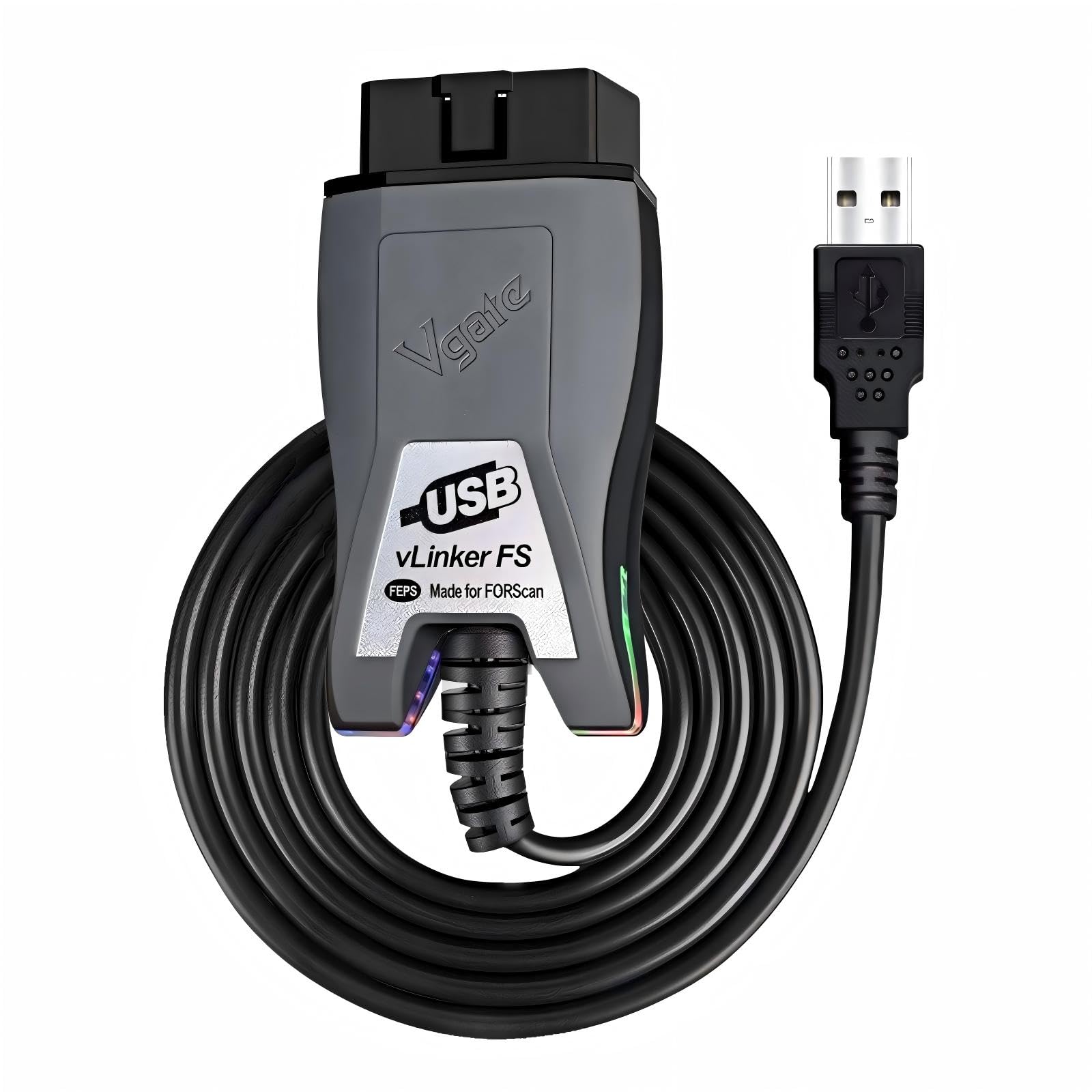
We recommend this adapter for Windows users who want stable FORScan access to Ford, Lincoln, or Mercury vehicles.
Pros
- Reliable connection with FORScan and other supported apps
- Automatic access to supported HS-CAN and MS-CAN networks
- Fast data transfer for live data and module work
Cons
- Requires a Windows computer and separate diagnostic software
- Setup may require driver or firmware updates
- Vehicle and module support can vary
We found the vLinker FS easy to use once connected to a Windows laptop. FORScan recognized it quickly, and we could read vehicle information and fault codes without the delays we have seen with some basic adapters.
The USB connection also helped during longer diagnostic sessions. It felt more stable than many wireless options, especially when switching between modules or streaming live data.
Setup was not perfect for every computer. Some users may need to install drivers or update the firmware before the adapter communicates correctly. We also recommend checking vehicle compatibility before attempting ECU programming, since support depends on the vehicle and software.
The adapter works with other ELM327-based apps, including AlfaOBD and VCTool. We would choose it for Ford-focused work, but casual users may prefer a simpler code reader for basic engine checks.
OHP FORScan USB Diagnostic Tool
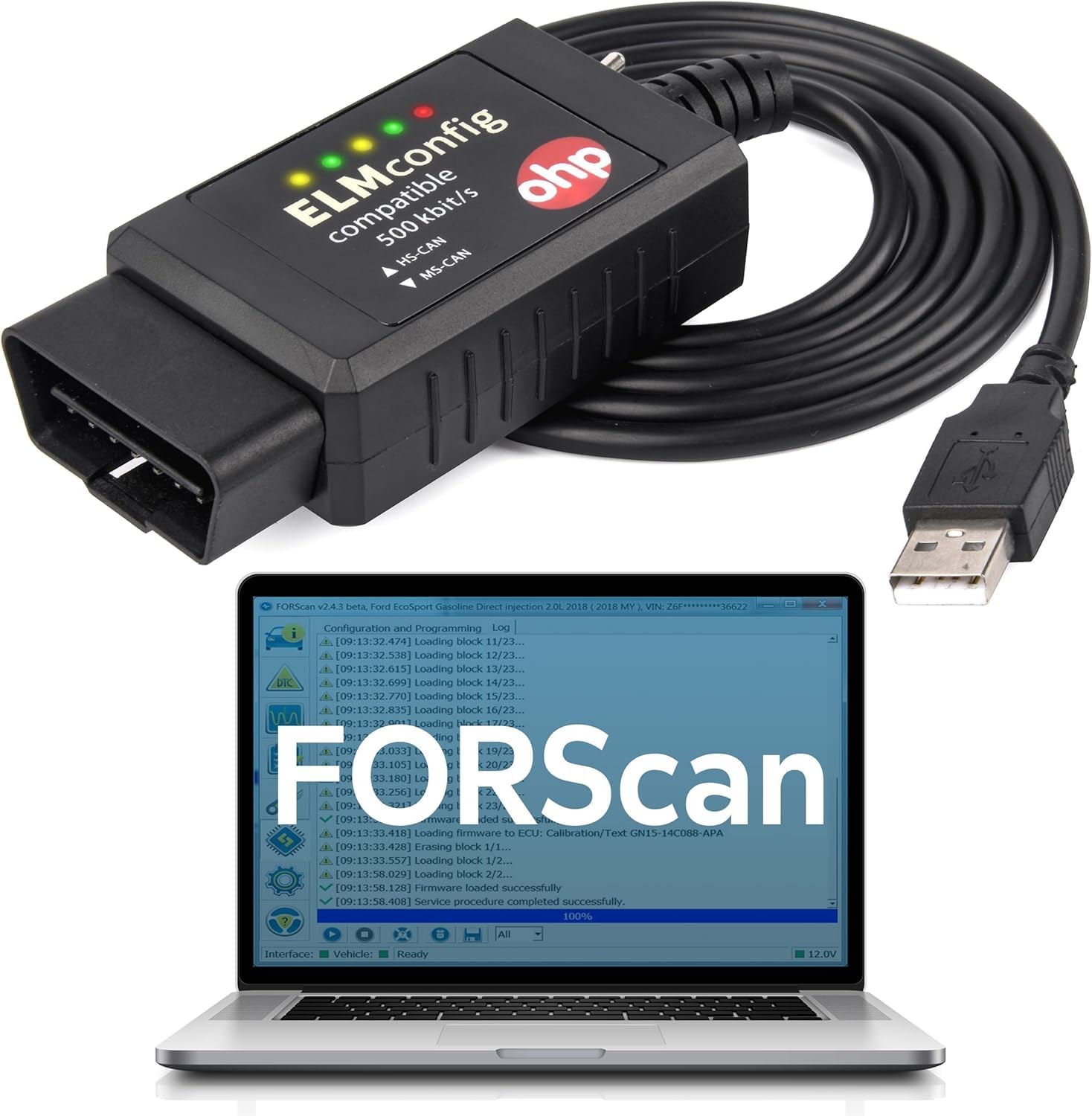
We recommend this cable for Ford owners who want affordable FORScan diagnostics on a Windows computer, as long as their vehicle and laptop meet the compatibility requirements.
Pros
- Works with FORScan for many Ford, Lincoln, Mercury, and Mazda vehicles
- Reads and clears codes from systems such as the engine, transmission, and ABS
- Includes a manual HS-CAN/MS-CAN switch and a two-year warranty
Cons
- Requires a Windows computer and separate FORScan software
- Some vehicles may not support every FORScan function
- Driver installation and COM port changes may take extra setup
We found the OHP cable useful for basic diagnostics and vehicle configuration tasks. It connects through USB and supports both HS-CAN and MS-CAN networks, which helps FORScan access more vehicle modules than a basic engine-code reader.
Setup was simple once the FTDI driver installed correctly. If the computer does not detect the cable, we recommend checking Device Manager and assigning it a lower COM port number. The switch labeling can be confusing on some units, so we would confirm the correct position before starting a scan.
This tool works with many Ford cars and light trucks, including the F-150, Focus, Fusion, Escape, Explorer, Mustang, and Transit. It also supports selected Lincoln, Mercury, and Mazda models, but buyers should check their exact vehicle before ordering.
FORScan downloads separately, and some programming features require its Extended License. We would choose this cable for owners who already have a Windows laptop and want deeper Ford diagnostics without paying dealer prices. It is not a good fit for Mac, Chromebook, tablet, or mobile users unless they run a full Windows environment.
vLinker FS USB FORScan Adapter
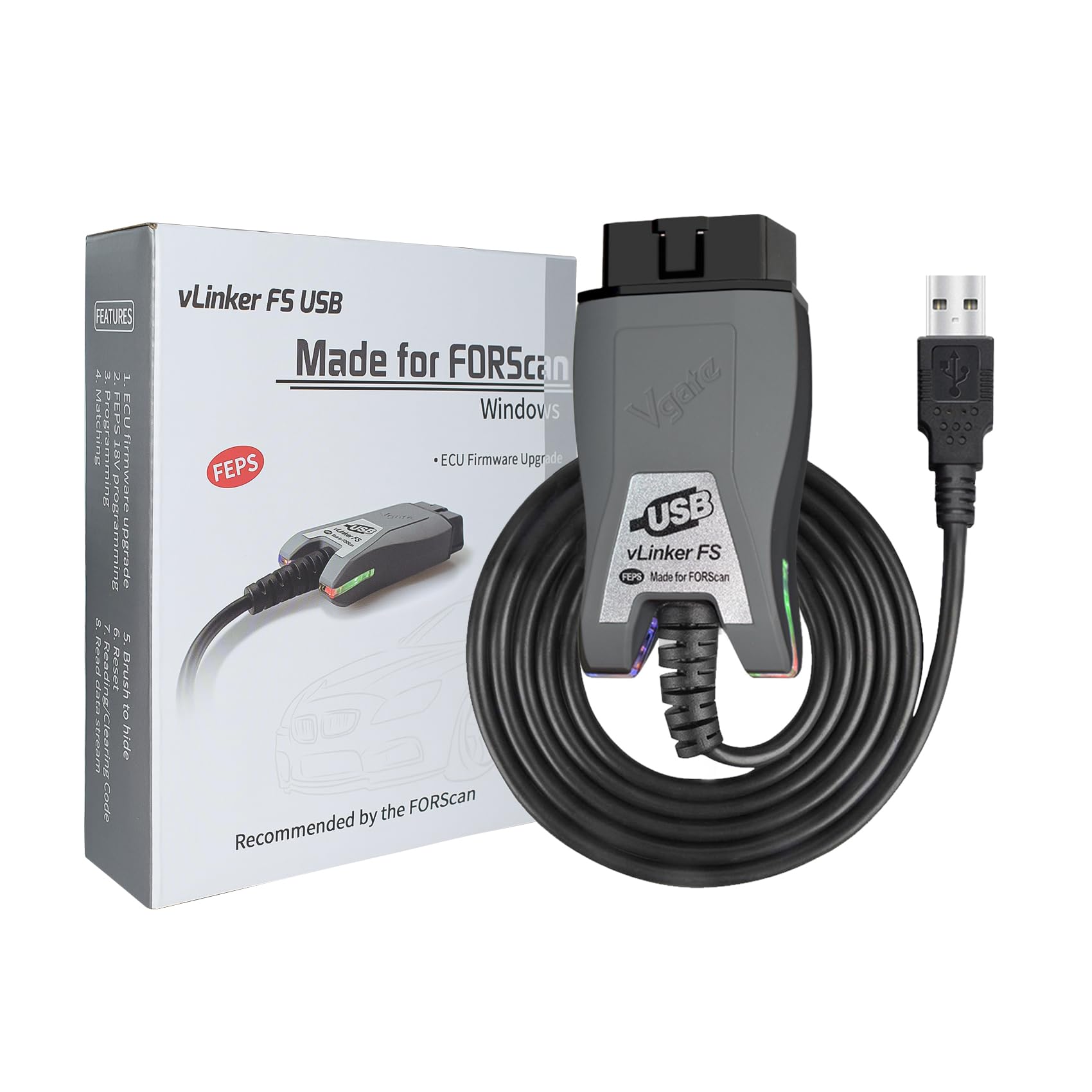
We recommend this adapter for Ford, Lincoln, Mazda, and Mercury owners who want a stable USB connection for FORScan and advanced vehicle settings.
Pros
- Reliable connection for diagnostics and module work
- Automatic switching between supported CAN networks
- Fast data transfer for live readings and programming
Cons
- Requires a separate FORScan download or purchase
- Windows setup may require driver installation
- USB use limits it to compatible computers
We found the vLinker FS USB easy to use once the drivers and FORScan settings were in place. Its wired connection stayed stable during code scans, live-data checks, and module changes, with no noticeable connection drops.
The adapter supports HS-CAN, MS-CAN, and Ford-specific networks through automatic switching. That makes it useful for accessing features that basic OBD2 readers often miss, especially on compatible Ford vehicles.
Setup takes a little more effort than a simple plug-and-play code reader. We also needed a Windows computer and the separate FORScan software, so buyers should plan for both before ordering.
Its compact design makes storage simple, and the sleep mode helps reduce battery drain when the adapter remains connected. The one-year warranty and free firmware updates add useful support for long-term ownership.
Vgate vLinker FS Bluetooth

We recommend this adapter for Ford owners who want FORScan-style diagnostics, including access to MS-CAN networks and selected programming functions.
Pros
- Works with FORScan Lite and several other diagnostic apps
- Supports Ford MS-CAN networks and 18V FEPS programming
- Connects with Android, iOS, Windows, and macOS devices
Cons
- App licenses may cost extra
- Setup can take some trial and error
- iOS compatibility varies by app and connection mode
We used the vLinker FS with FORScan Lite and found it useful for reading codes, clearing faults, and viewing live vehicle data. Its MS-CAN support makes it more capable than a basic OBD2 reader, especially on compatible Ford vehicles.
The Bluetooth connection worked well once we followed the pairing steps. Some apps required a different connection mode, so iPhone users may need to switch between MFi and BLE+BT settings with the Vgate firmware tool.
We also noticed that the adapter does more than a simple handheld scanner, but that added ability brings a learning curve. The software costs extra, and buyers should confirm app support before purchasing. Its low power draw and support for both 12V and 24V systems add useful flexibility.
ANCEL BD310
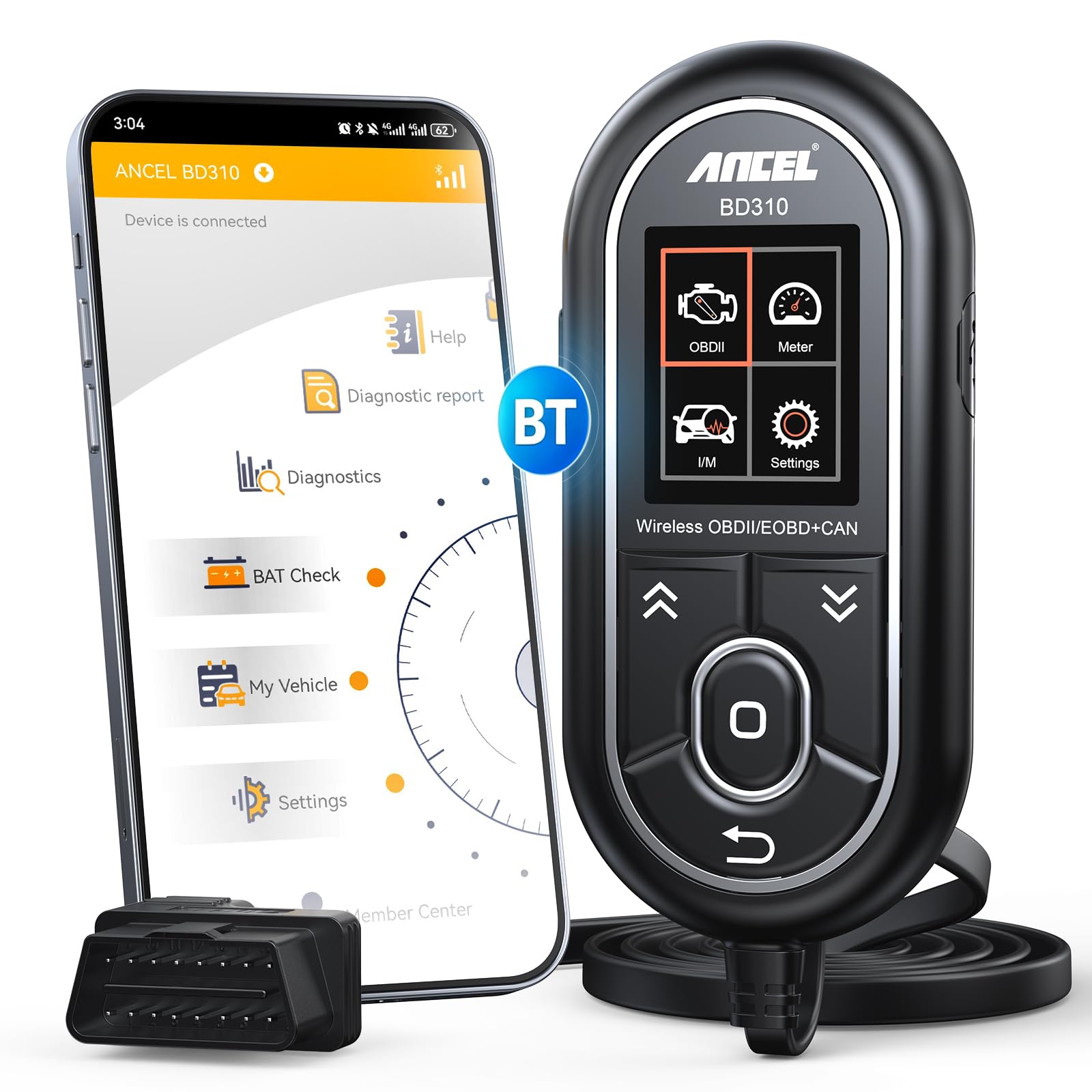
We recommend the ANCEL BD310 for DIY drivers who want wired scanning, Bluetooth app tools, and battery checks in one affordable device.
Pros
- Offers both direct handheld use and phone-based diagnostics
- Shows live data, battery status, and emissions readiness
- Includes lifetime app updates without recurring fees
Cons
- Does not clear ABS, airbag, or transmission codes
- App setup may require downloading software from ANCEL’s website
- The handheld buttons may not withstand rough use
We found the BD310 easy to use when checking a check-engine light. The wired reader worked without relying on a phone, while Bluetooth gave us access to live data, trip analysis, and performance tests through the app.
Plain-language code explanations helped us understand possible causes before discussing repairs with a shop. We could also search the code from the app, which made the results more useful than a basic code reader that only displays letters and numbers.
Battery voltage monitoring and I/M readiness checks add practical value. We used these features to check charging health and confirm whether a vehicle appeared ready for an emissions test.
The BD310 works with most 1996 and newer OBD2 vehicles, but its coverage stays focused on standard engine diagnostics. Drivers who need ABS, SRS, tire-pressure, or transmission scanning should choose a more advanced tool.
Vgate vLinker MC+

We recommend the Vgate vLinker MC+ for drivers who want a flexible adapter for FORScan and other diagnostic apps across Android, iOS, and Windows.
Pros
- Works with FORScan, JScan, Carista, Torque, and other popular apps
- Supports Ford MS-CAN and GM SW-CAN networks
- Connects quickly and enters sleep mode to help protect the car battery
Cons
- Advanced functions depend on the app and vehicle
- Some apps require paid features or vehicle licenses
- It does not include a dedicated diagnostic app
We found the adapter easy to connect and small enough to leave plugged in without blocking legroom. Its Bluetooth options make it useful for different phones, tablets, and computers, although the setup still depends on the app we chose.
With FORScan and compatible vehicles, the MC+ can access more than basic engine codes. We could use supported functions for systems such as ABS, airbags, climate control, and the drivetrain, but the available controls varied by vehicle and software.
The adapter also worked with apps such as JScan, Car Scanner, and Dr. Prius in user testing. We liked its quick data transfer and support for longer diagnostic messages, which helped during live data checks and module scans.
Our main drawback involved software costs. The adapter provides the connection, but some apps charge for advanced tools or vehicle access. We also found that compatibility depends more on the chosen app and car than on the adapter alone.
Buying Guide
We should first check vehicle coverage. A useful OBD2 app should support our car’s make, model, year, and control modules, not only basic engine codes. We should also confirm whether the app works with our phone’s operating system.
| Feature | What we should check |
|---|---|
| Vehicle support | Compatible models, years, and modules |
| Diagnostic functions | Code reading, code clearing, live data, and system tests |
| Connection method | Bluetooth, Wi-Fi, or USB compatibility |
| User interface | Clear menus, readable data, and simple reports |
| Updates | Regular app and vehicle database updates |
| Cost | App price, adapter cost, and optional subscriptions |
| Safety | Backup options and warnings before advanced changes |
We should choose an app that matches our skill level. Basic users may need clear code explanations and guided tests, while experienced users may prefer live data, module access, and custom settings.
Adapter compatibility matters. We should check the required communication standards, connection stability, and permission settings before buying. A low-cost adapter may not support every function the app offers.
We should also review the app’s privacy policy and support options. Reliable documentation, useful error details, and responsive support can help us avoid mistakes during diagnosis.
Editor’s Choice
We choose FORScan Lite as the best OBD2 app like FORScan for Ford, Mazda, Lincoln, and Mercury vehicles. It supports advanced modules and service functions that many basic OBD2 apps do not offer.
The app works with compatible Bluetooth and Wi-Fi OBD2 adapters. We recommend checking the adapter list before buying, since connection quality can affect scans, live data, and vehicle tests.
| Feature | FORScan Lite |
|---|---|
| Best for | Ford and Mazda vehicles |
| Main tools | Module scans, live data, service functions |
| Connection | Compatible OBD2 adapters |
| Skill level | Intermediate to advanced |
| Cost | Paid app |
We like FORScan Lite because it focuses on manufacturer-specific systems instead of only reading standard engine codes. Users can inspect more control modules and access functions that generic apps often leave out.
We should note that some advanced programming and configuration tasks require the Windows version of FORScan rather than the mobile app. We also advise saving the original settings before changing module configuration.
Conclusion
We should choose an OBD2 app based on our vehicle, repair goals, and budget. FORScan remains a strong choice for Ford, Mazda, Lincoln, and some Mercury models, especially when we need access to advanced modules and manufacturer-level functions.
For broader vehicle support, apps such as Car Scanner, OBD Auto Doctor, and AlfaOBD may fit our needs better. However, features can vary by brand, adapter, operating system, and subscription plan.
| Our need | Suitable option |
|---|---|
| Ford or Mazda diagnostics | FORScan |
| Multi-brand basic scans | Car Scanner |
| Desktop OBD2 tools | OBD Auto Doctor |
| Advanced support for select brands | AlfaOBD |
We should confirm adapter compatibility before buying. A reliable, supported adapter often matters as much as the app because poor connections can cause failed scans or missing data.
We should also use advanced coding and service functions carefully. Before changing settings, we can save the original configuration, follow trusted instructions, and avoid modifying safety-related systems without proper knowledge.
FAQs
Is there an OBD2 app like FORScan?
Yes. We can use apps such as Car Scanner ELM OBD2, OBDeleven, and JScan. The best option depends on the vehicle brand, the functions we need, and the adapter we use.
Which app works best for Ford vehicles?
FORScan remains one of the strongest choices for Ford, Lincoln, and Mazda vehicles. We can use Car Scanner for standard diagnostic data, but it may not offer the same manufacturer-level features.
Can OBD2 apps clear fault codes?
Many apps can read and clear diagnostic trouble codes. We should fix the underlying problem first because clearing a code does not repair the vehicle.
Do we need a special adapter?
Yes. We need a compatible Bluetooth, Wi-Fi, or USB OBD2 adapter. A low-quality adapter can cause connection failures or display incorrect data.
Can these apps program vehicle modules?
Some apps support coding or module configuration, but support varies by vehicle. We should check the app’s compatibility list before changing settings.
Are free OBD2 apps reliable?
Free apps can handle basic tasks, such as reading live data and engine codes. Advanced functions may require a paid version, a subscription, or a compatible adapter.
