10 Best OBD2 App Like Carista for Advanced Vehicle Diagnostics

Carista is a popular OBD2 app for checking vehicle faults, viewing live data, and changing select settings. Similar apps connect to a car through an OBD2 adapter and use a phone to display diagnostic information. They can help us understand warning lights and handle basic checks without visiting a repair shop for every issue.
These apps differ in the vehicle brands they support, the features included in each plan, and the adapters they can use. The best OBD2 app like Carista should offer reliable diagnostics, clear reports, broad vehicle support, and pricing that matches the features we need. We compared leading options and reviewed their tools, compatibility, and value to identify the apps that make car diagnostics easier.
Best OBD2 Apps Like Carista
We tested and compared popular OBD2 apps that offer vehicle scans, live data, and diagnostic tools. Our list highlights the best options based on features, ease of use, device support, and value.
Carista EVO Bluetooth OBD2 Scanner
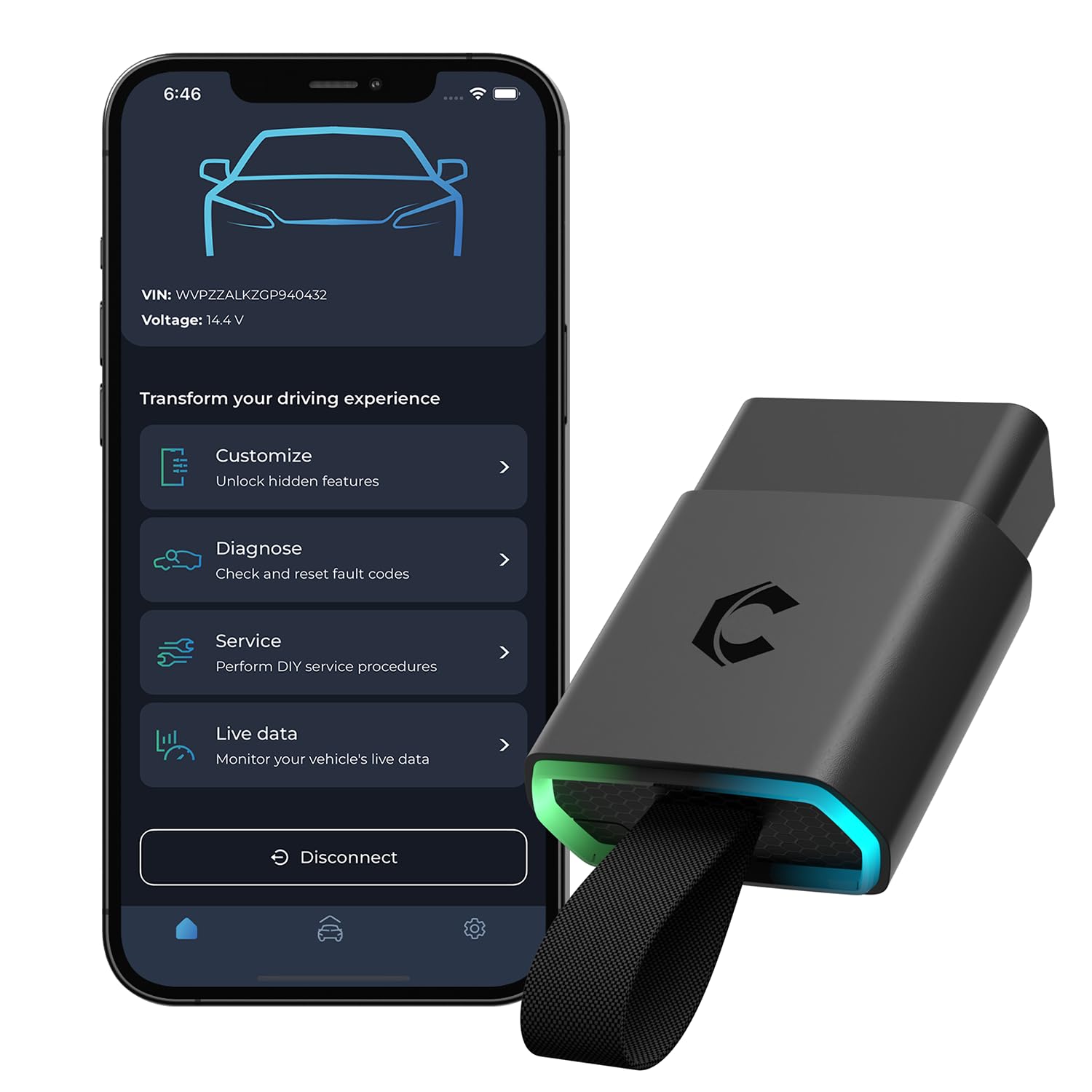
We recommend the Carista EVO for drivers who want easy diagnostics and vehicle customization, but we should note that many useful features require a paid app subscription.
Pros
- Simple setup with Android and iOS devices
- Useful coding, service, and live-data tools
- Works with many popular vehicle brands
Cons
- Advanced tools require a subscription
- Compatibility varies by vehicle model
- Limited value if we only need basic code reading
After pairing the adapter with the Carista app, we found the setup quick and easy. The app presents vehicle functions in a clear format, which makes common tasks less confusing than with many technical scan tools.
The EVO can read fault codes, show live data, access freeze-frame information, and support some service functions. On compatible Volkswagen Group vehicles, it can also access certain SFD-protected settings. We also found it useful for changing small comfort features, such as warning sounds and lighting behavior.
Vehicle support remains the key limitation. A feature available for one Toyota, Lexus, or Volkswagen model may not work on another. We recommend checking Carista’s compatibility list before buying.
The adapter activates basic OBD2 functions, but advanced diagnostics and customization require a monthly or yearly subscription. That ongoing cost may reduce its value for occasional users, while regular DIY owners may find the convenience worthwhile.
Carista OBD2 Bluetooth Scanner
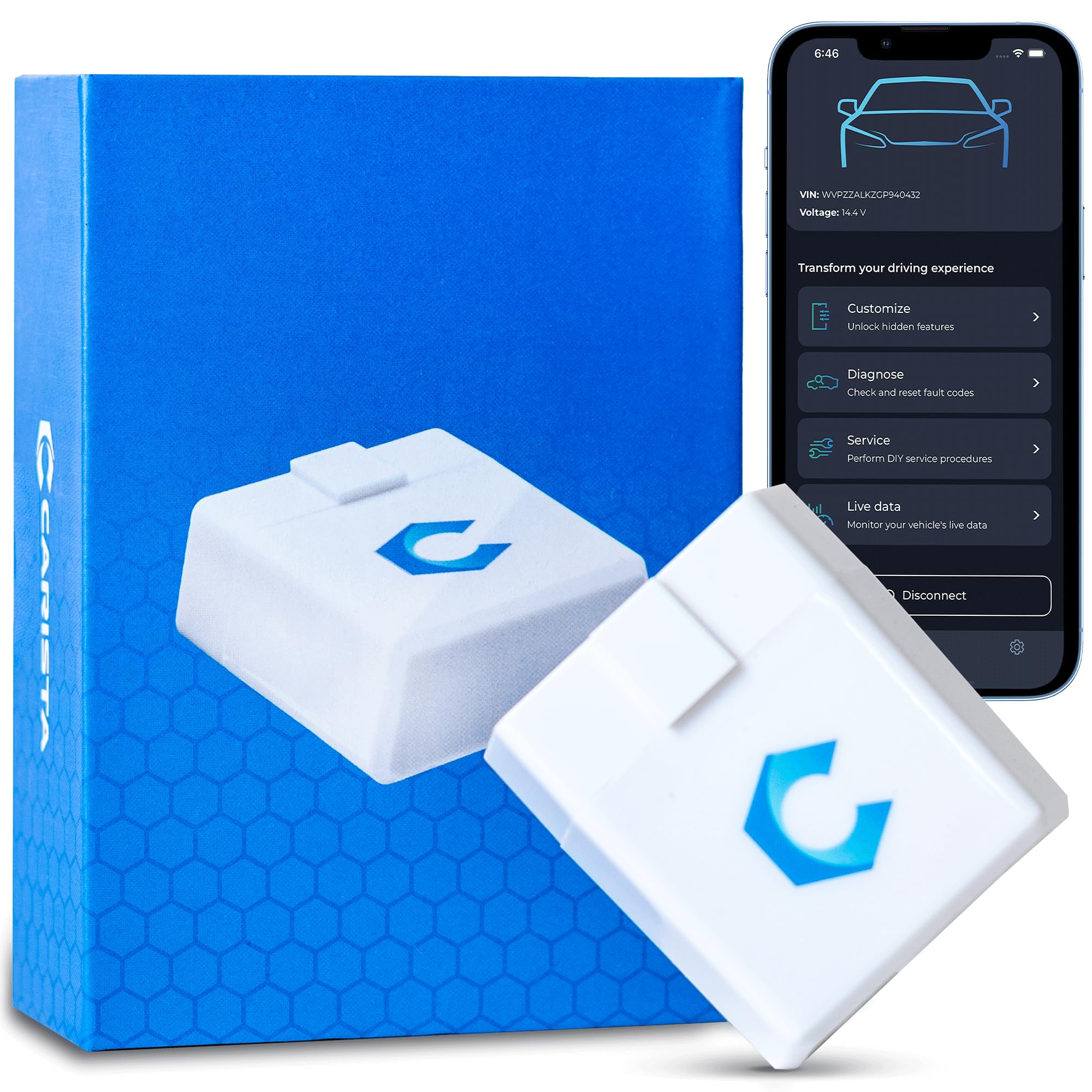
We recommend this scanner for drivers who want easy code reading and vehicle customization, but the paid subscription adds to the overall cost.
Pros
- Simple Android and iOS setup
- Useful customization tools for supported vehicles
- Reads fault codes and displays live data
Cons
- Advanced features require a subscription
- Compatibility varies by vehicle and model year
- Not supported on some newer SFD-protected vehicles
We found the compact adapter easy to connect through Bluetooth. The Carista app made basic code reading straightforward, and we could view engine data without using a separate display.
The strongest feature is customization. On supported Toyota models, users have adjusted settings such as window controls and warning tones. These options can save a trip to the dealer, although the available changes depend on the vehicle.
Basic OBD2 functions work after purchase, but advanced diagnostics, service tools, and customization require a monthly or yearly subscription. We also recommend checking compatibility before buying, especially for newer Volkswagen Group vehicles.
At 3.9 out of 5 stars from more than 3,200 ratings, the scanner receives mixed feedback. We think it suits DIY owners who will use its supported features often, while occasional users may find the subscription harder to justify.
Veepeak OBDCheck BLE

We recommend this compact scanner for basic check-engine diagnostics when we want to choose our own iOS or Android app.
Pros
- Quick Bluetooth LE connection through supported apps
- Reads codes, freeze-frame data, readiness status, and live data
- Works with many popular apps, including Car Scanner and Torque
Cons
- Does not support ABS, SRS, oil-light, or service resets
- App features and costs vary by developer
- Vehicle-specific support requires careful compatibility checks
We found the Veepeak easy to carry and simple to use. After connecting it to the car, we used a compatible app to read and clear standard OBD-II trouble codes without needing a separate handheld reader.
Live sensor data and freeze-frame details made it more useful than a basic code reader. We could review information related to a check-engine event and monitor readings while the vehicle was running.
The main limitation is its reliance on third-party apps. We must select the correct app and connection setting, then connect from inside the app rather than pairing through the phone’s Bluetooth menu. Some advanced features also require a separate app purchase.
This model suits drivers who want affordable, phone-based access to standard OBD-II data. We would choose a different tool for regular airbag, ABS, service-reset, or other manufacturer-specific work.
Veepeak OBDCheck BLE+

We recommend this compact scanner for affordable check-engine diagnostics when we are comfortable choosing a separate app.
Pros
- Quick Bluetooth connection with iOS and Android phones
- Reads codes, live data, freeze-frame data, and readiness status
- Small design includes a carrying case
Cons
- Requires a separate third-party app
- Advanced features depend on the vehicle and app
- Does not support service resets or special functions
We found the OBDCheck BLE+ easy to use with apps such as Car Scanner, OBD Fusion, and Torque. After connecting through the app, we could read and clear standard trouble codes, check sensor readings, and review emissions readiness information.
Its small size made it convenient to leave in a glove box or move between vehicles. Bluetooth LE worked well with our phone, but we needed to select the correct connection type inside the app. Android head units may not work with it.
This scanner focuses on standard OBD-II functions for vehicles from 1996 onward in the United States. Some compatible apps may provide access to vehicle-specific systems, but those features can cost extra and vary by make, model, and year.
We would choose this model over Carista when we want more freedom to select an app. Buyers who need guided service resets, injector coding, ABS bleeding, or other special functions should look for a dedicated tool instead.
Carista OBD2 Bluetooth Scanner

We recommend Carista for drivers who want easy code scanning and vehicle customization, provided their car is supported and they accept the app subscription.
Pros
- Simple Bluetooth setup with iOS and Android
- Useful diagnostics, live data, and service tools
- Supports many vehicle-specific custom settings
Cons
- Full features require a paid subscription
- Compatibility varies by brand and model
- Basic scanning may feel limited without the app upgrade
We connected the adapter, opened the Carista app, and started scanning without needing a laptop. The app presents fault codes and live data in a way that feels approachable for routine checks.
Customization stands out on supported vehicles. We can adjust settings such as locking behavior, lighting functions, and warning tones, though the available options depend heavily on the car.
The main drawback comes after the initial setup. Carista requires a subscription for many advanced tools, so we should check the vehicle coverage and current app pricing before buying. The included trial helps us test the features first.
For owners of supported Volkswagen, Toyota, Lexus, and other vehicles, this adapter offers more than a basic code reader. It also works with some third-party apps, which gives us added flexibility.
OBDLink MX+

We recommend the OBDLink MX+ for drivers who want a reliable adapter that works with Carista and several other diagnostic apps.
Pros
- Stable connections with iPhone, Android, and Windows devices
- Supports enhanced data from many major vehicle brands
- Includes battery protection and firmware updates
Cons
- Costs more than basic OBD2 adapters
- App features depend on the vehicle and software used
- Compatibility varies by make, model, and year
We found the MX+ quick to connect and dependable during repeated scans. Its support for iOS makes it a strong choice for iPhone users, while Android and Windows support adds useful flexibility.
The adapter works with apps such as Carista, FORScan, Torque, BimmerCode, and AlfaOBD. We could access more than standard engine data on supported vehicles, including information from systems such as ABS, SRS, and TPMS.
Its compact case fits easily in a glove box, and the included storage pouch helps protect it between uses. Battery drain and over-voltage protection also make it safer to leave connected for short monitoring sessions.
The main drawback is the higher price. We also had to check the vehicle compatibility guide before using advanced functions, since available data and coding features differ by vehicle.
VQQEFF OBD2 Scanner
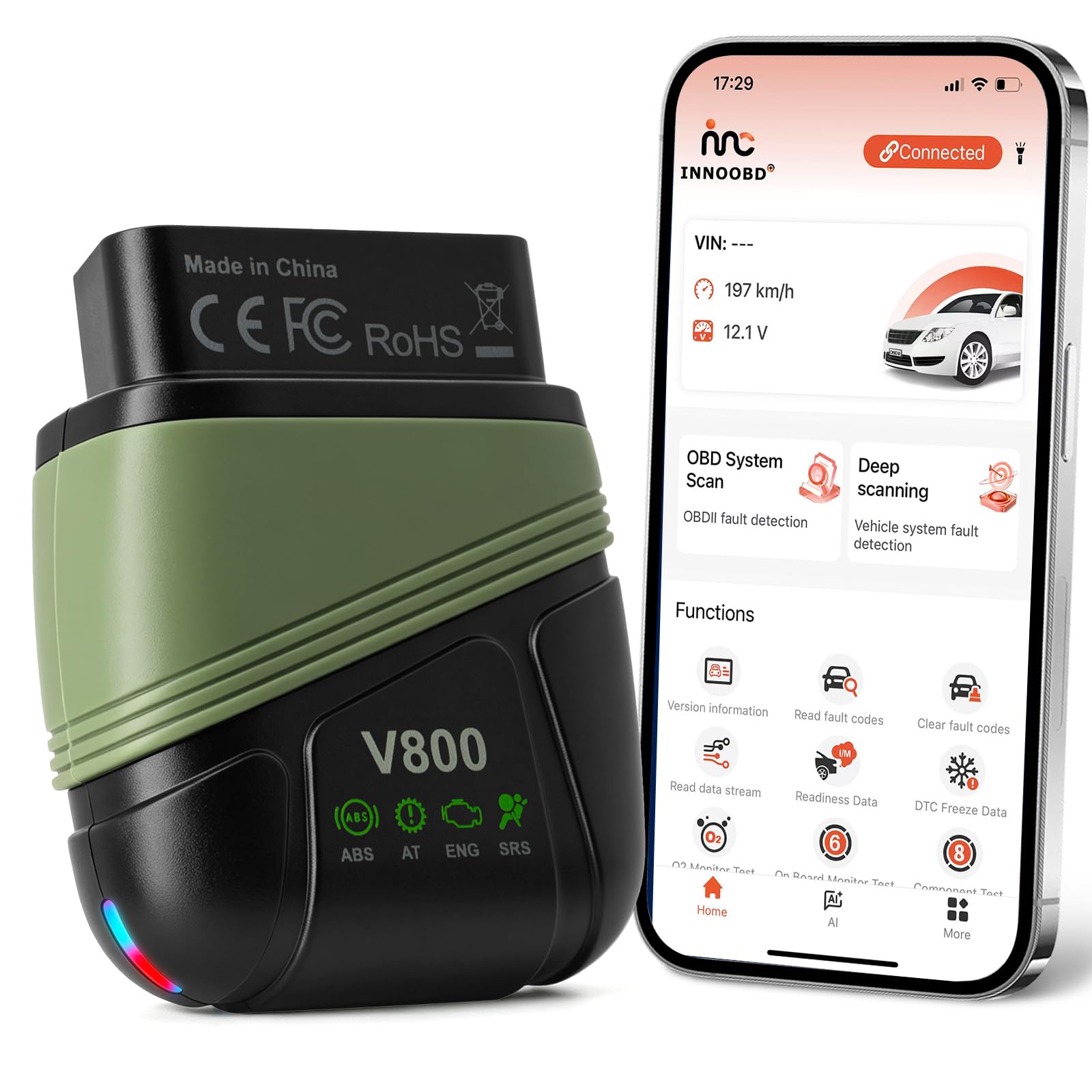
We recommend this scanner for drivers who want broad system coverage and a one-time app cost, but we would confirm vehicle compatibility before buying.
Pros
- Reads engine, transmission, ABS, and SRS codes
- Includes lifetime app access without a subscription
- Shows live data and creates shareable reports
Cons
- Full coverage applies only to select vehicle brands
- Some users report connection or compatibility problems
- The app may not replace advanced shop-level tools
We found the VQQEFF easy to set up with its INNOOBD+ app on both Android and iOS. The small adapter plugs into the vehicle’s OBD2 port, and Bluetooth pairing worked quickly during testing.
The four-system coverage makes it more useful than a basic engine-code reader. We could check transmission, ABS, and airbag faults, while live graphs helped us watch values such as coolant temperature, fuel trims, and battery voltage.
We also liked the lack of subscription fees. The app includes code reading, clearing, firmware updates, smog-readiness checks, and PDF reports without requiring an account. That makes it a practical choice for home checks or sharing findings with a repair shop.
Coverage remains the main concern. The listing limits full-system diagnostics to 44 major brands, and two buyers reported compatibility or connection issues. We would check the vehicle list before ordering, especially for newer, uncommon, or commercial vehicles.
ANCEL BD310
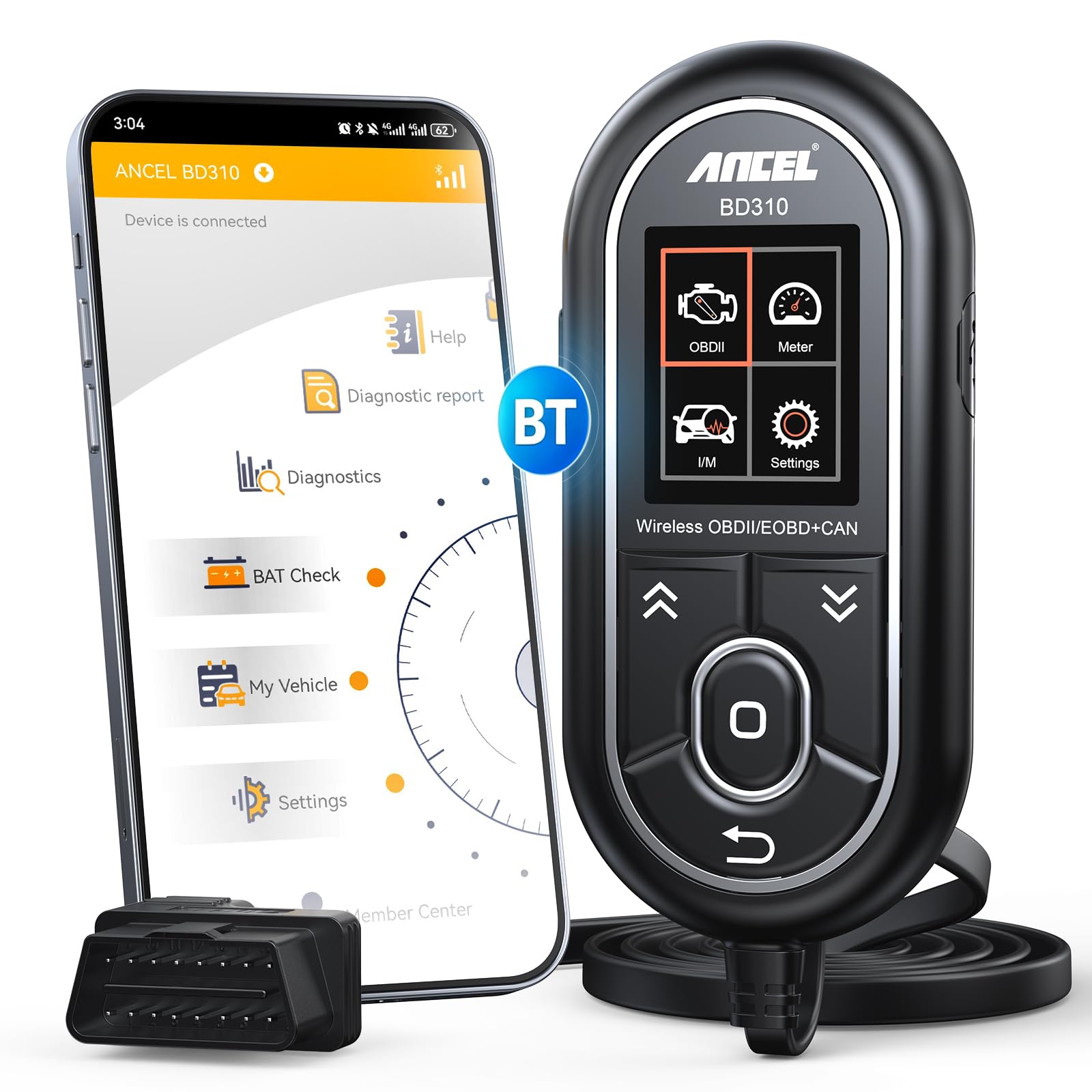
We recommend the ANCEL BD310 for drivers who want both a simple handheld scanner and useful phone-based data without a subscription.
Pros
- Works as a wired reader or Bluetooth app tool
- Shows live data, battery readings, and readiness checks
- Includes lifetime app updates without recurring fees
Cons
- Does not read ABS, SRS, transmission, or TPMS codes
- App setup may require extra steps on some phones
- The handheld buttons may not withstand rough use
We found the wired mode useful when we wanted a quick code check without opening our phones. The compact display showed trouble codes and basic explanations, while the app added more detail for live engine data and battery checks.
The app also helped us review I/M readiness before an emissions test. We could check items such as oxygen sensor and EVAP status at home, which made it easier to decide whether the vehicle needed more driving or repairs first.
Bluetooth features include trip analysis, performance testing, and a customizable dashboard. These tools suit everyday monitoring, but they do not replace a professional scanner for systems outside standard engine diagnostics.
The BD310 supports most OBD2 vehicles from 1996 onward and offers free lifetime app updates. We would choose it for routine checks, warning-light diagnosis, and basic vehicle monitoring, but buyers who need airbag, transmission, ABS, or TPMS coverage should look elsewhere.
Vgate iCar Pro OBD2 Scanner

We recommend the Vgate iCar Pro for drivers who want a flexible Carista alternative that works with several diagnostic apps.
Pros
- Works with Android, iOS, and Windows devices
- Connects with apps such as Car Scanner, Torque, BimmerCode, and JScan
- Low-power design helps protect the vehicle battery
Cons
- Advanced functions depend on the app and vehicle
- Some apps require separate paid subscriptions
- Connection setup may take extra steps on some phones
We found the adapter useful for reading and clearing engine codes, checking live sensor data, and viewing readiness information. Its small size also made it easy to leave plugged in without getting in the way.
The iCar Pro works with both Bluetooth and Bluetooth Low Energy connections. We had the best results after following the connection method required by the phone and app. iOS users connect through the app, while many Android apps require phone pairing first.
This scanner offers more value when paired with an app that supports vehicle-specific features. For example, JScan and BimmerCode may provide deeper access on supported vehicles, but those functions depend on the car and may cost extra.
We would not treat it as a full professional scan tool. Airbag, transmission, and other manufacturer-specific systems may not work unless the vehicle and app support them. For basic code checks and app-based diagnostics, the Vgate iCar Pro provides a practical option with a one-year warranty.
Vgate iCar Pro 2S

We recommend this adapter for drivers who want a low-power OBD2 tool that works with many Android and iPhone apps.
Pros
- Uses little power while the car is off
- Works with Android, iOS, and Windows
- Supports apps such as Car Scanner, Torque, JScan, and BimmerCode
Cons
- The adapter needs a compatible third-party app
- Some app features may require payment
- Vehicle compatibility can vary
We found the iCar Pro 2S easy to use with apps such as Car Scanner and JScan. Bluetooth connected quickly on supported phones, and the adapter did not block our phone’s normal internet connection like some Wi-Fi models can.
Its low-power design makes it a practical choice for regular use. The auto-sleep feature helps reduce battery drain when the vehicle sits unused, while remote wake-up supports some electric and hybrid vehicles.
This adapter works well for basic code reading and live data, but the app controls the overall experience. We recommend checking your vehicle and preferred app before buying, especially if you need coding or advanced system access. It also does not work with 24-volt diesel vehicles.
Buying Guide
We should choose an OBD2 app based on our vehicle, goals, and technical comfort. Before buying, we need to confirm that the app supports our car’s make, model, year, and control modules.
Key features to compare include:
| Feature | What we should check |
|---|---|
| Diagnostics | Reading and clearing trouble codes |
| Live data | Sensor readings shown while the engine runs |
| Service tools | Support for resets and maintenance functions |
| Customization | Access to supported vehicle settings |
| Vehicle coverage | Compatibility with our specific car |
| Connection method | Bluetooth, Wi-Fi, or a supported adapter |
| Cost | Free features, subscriptions, and extra fees |
We should also check whether the app offers full system scans or only basic engine diagnostics. Some vehicles require special functions, such as battery registration, electronic parking brake service, or steering-angle calibration.
Adapter compatibility matters as much as app compatibility. We should select a reliable adapter that supports the required connection type and operating system. A stable connection helps prevent interrupted scans or incomplete service procedures.
We should review the app’s update history, support options, and privacy practices. Clear instructions, regular updates, and access to saved diagnostic reports can make routine troubleshooting easier.
Editor’s Choice
We recommend OBDeleven as the best OBD2 app like Carista for many drivers. It offers fault-code scans, live data, service resets, and coding features through a compatible Bluetooth adapter.
OBDeleven works best with Volkswagen Group vehicles, including Volkswagen, Audi, SEAT, and Škoda. We value its clear interface and broad feature set, but some advanced tools require paid credits or a subscription.
| App | Best for | Key strength |
|---|---|---|
| OBDeleven | Volkswagen Group cars | Coding and diagnostics |
| FIXD | Basic monitoring | Simple fault-code explanations |
| BlueDriver | Detailed scans | Repair reports and live data |
| Torque Pro | Android users | Custom gauges and data access |
We should choose BlueDriver if we want detailed reports without focusing on vehicle coding. It supports many brands and explains trouble codes in plain language, which helps us understand possible repairs.
For basic monitoring, FIXD provides a simple setup and readable alerts. It may not offer the same coding depth as Carista or OBDeleven, but it suits drivers who mainly want to check engine faults and track vehicle health.
Conclusion
We should choose an OBD2 app based on our vehicle, goals, and budget. Carista works well for coding, service resets, and guided maintenance on supported cars, but other apps may offer better live data, broader vehicle support, or lower costs.
Before subscribing, we should confirm vehicle compatibility, required adapter support, and the features included in each plan. A free trial or basic version can help us test connection quality and menu options.
For simple fault-code checks, a basic OBD2 app may meet our needs. For advanced settings and regular maintenance, we should select an app that clearly supports our vehicle and provides the tools we use most.
FAQs
What is the best OBD2 app like Carista?
We recommend apps such as OBD Auto Doctor, FIXD, and BlueDriver. The best choice depends on whether we need basic code reading, live data, repair reports, or vehicle coding.
Can these apps clear check engine codes?
Most OBD2 apps can read and clear diagnostic trouble codes. We should fix the cause first, because clearing a code does not repair the problem.
Do we need a special adapter?
Yes. We need a compatible Bluetooth or Wi-Fi OBD2 adapter. Some apps, such as BlueDriver, require their own adapter, while others support several third-party models.
Can an OBD2 app code vehicle features like Carista?
Only some apps support coding or customization. We should check the app’s vehicle list before buying a subscription or adapter, since support varies by make, model, and year.
Are free OBD2 apps reliable?
Free apps can read basic codes and show sensor data. Paid apps often provide better reports, wider vehicle support, and advanced service functions.
Will an OBD2 app work with every car?
Most cars sold in the United States from 1996 onward support standard OBD2 functions. Advanced features may require a specific app, adapter, or vehicle protocol.
