10 FORScan-Compatible OBD2 Adapters: 10 Best Picks for 2026
FORScan turns a Windows laptop, iPhone, or Android device into a diagnostic tool that reaches deeper into a Ford, Lincoln, Mazda, or Mercury vehicle than a generic code reader ever could. The software itself is free, but it only works as well as the hardware plugged into the OBD2 port. Pick the wrong adapter and FORScan will connect, throw compatibility warnings, or simply refuse to access certain modules.
The vehicles that use FORScan run two separate CAN (Controller Area Network) buses: HS-CAN (high-speed, for the engine and transmission) and MS-CAN (medium-speed, for body and comfort modules like windows, mirrors, and locks). A capable adapter needs a way to reach both, either through an automatic electronic switch or a manual toggle. The single biggest mistake buyers make is assuming any ELM327-based USB cable will unlock the same features as a purpose-built FORScan adapter. Cheaper cables often work fine for reading codes but choke on programming and module configuration.
Connection type matters just as much as CAN support. USB adapters tend to be the most stable for programming and flashing, Bluetooth adapters offer convenience for casual code reading on a phone, and J2534 pass-thru devices open the door to OEM-level software beyond FORScan. Matching the adapter to what you actually plan to do, rather than buying the cheapest option on the page, avoids wasted money and failed programming attempts.
Best for dealership-level Ford diagnostics: OBDLink EX FORScan OBD Adapter
Best for stable USB programming on a budget: Vgate vLinker FS OBD2 USB Adapter (HS/MS-CAN, Auto Switch)
Best for occasional DIY code reading: OHP FORScan ELM327 OBD2 to USB Diagnostic Scan Tool
Best for multi-brand wireless diagnostics: OBDLink MX+ OBD2 Bluetooth Scanner
Best higher-rated alternative to the standard vLinker FS: Vgate vLinker FS OBD2 USB Adapter (FORS-can Edition)
Best for unlocking hidden Ford feature mods: VINTscan ELMconfig ELM327 OBD2 Adapter
Best for FoCCCus and multi-software compatibility: OBDResource ELM327 USB Adapter
Best budget switch-style adapter: OBDMONSTER ELM327 OBD2 USB Adapter
Best for J2534 OEM-level programming across GM, Ford, and Chrysler: TOPDON RLink X3 OBD2 Adapter
Best for mobile-first Bluetooth FORScan use: Vgate vLinker FD Plus OBD2 Adapter
OBDLink EX FORScan OBD Adapter

Buy this if you want the adapter the FORScan team itself recommends and don’t want to second-guess compatibility.
Pros
- Electronic switch reaches HS-CAN and MS-CAN simultaneously, no manual toggling
- Recommended directly by the FORScan development team
- Wired USB connection avoids the dropouts common with Bluetooth
Cons
- Windows-only, no native iOS or Android support
- Costs more than basic ELM327 cables
- Overkill for someone who only wants to clear a check engine light occasionally
Professional technicians and serious DIYers show up in the reviews for a reason. The OBDLink EX handles Ford, Lincoln, and Mazda modules that trip up “toggle switch” adapters, and its throughput claims (up to 20 times faster than manual-switch cables) hold up during live data streaming and module programming. Setup is close to plug-and-play on Windows, with drivers installing automatically for most users.
This is a Windows-tethered tool, so phone-only users should look elsewhere. For anyone doing PATS key programming, module configuration, or as-built data work on a Ford-family vehicle, it’s the adapter to buy once and stop shopping.
Vgate vLinker FS (HS/MS-CAN, Auto Switch)
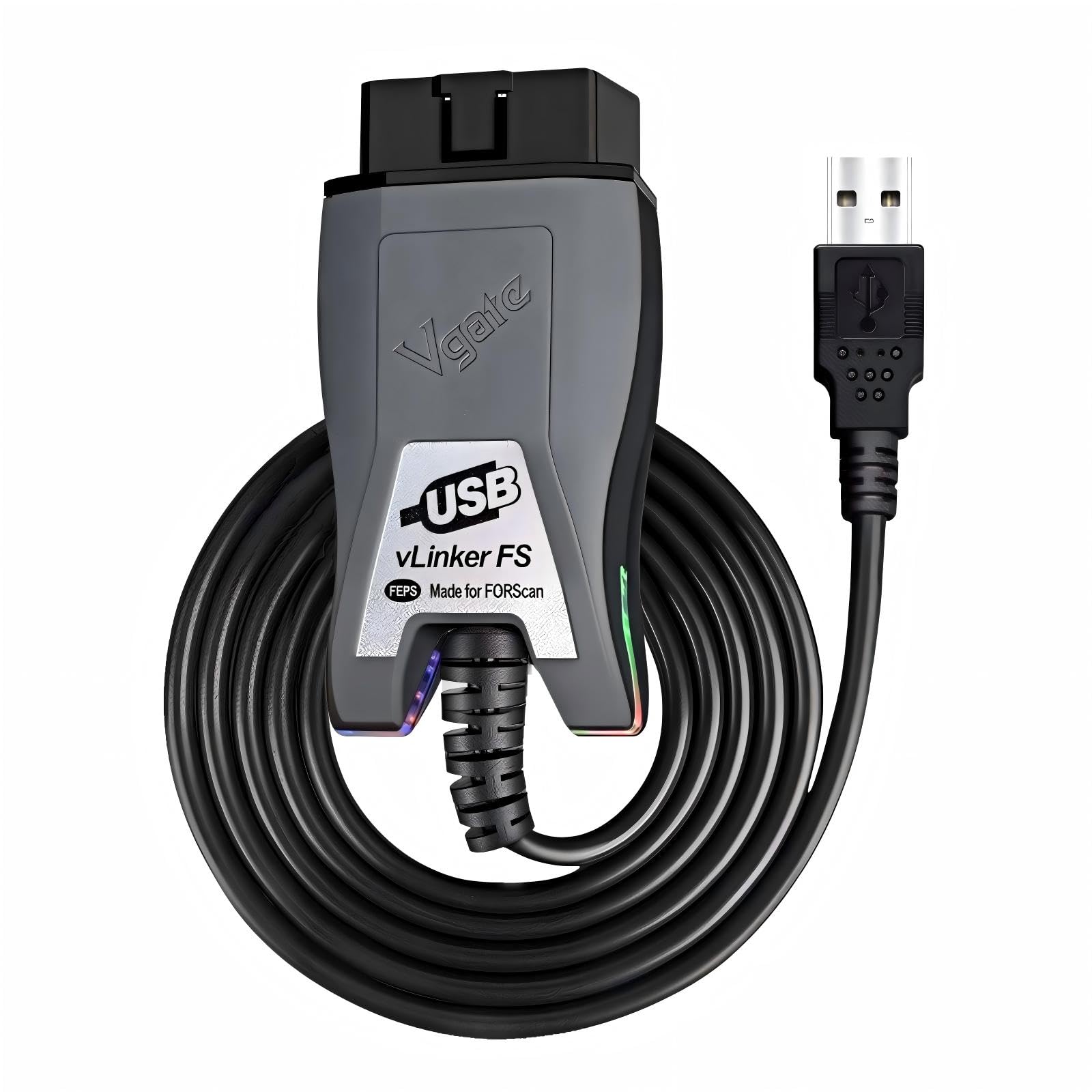
Buy this if you want USB-level stability for FORScan programming without paying OBDLink pricing.
Pros
- Automatic HS-CAN/MS-CAN switching, no manual flip required
- Supports up to 18V output for ECU programming on select older models
- USB 2.0/3.0 compatible with high-speed 3 Mbps data transfer
Cons
- Windows-focused, limited value for phone-only users
- ECU flashing support varies by vehicle year and model
- Two listings exist under similar names, easy to confuse with the FORS-can version below
Owners using this for LS tuning, PCM Hammer flashing, and Versatuner sessions report consistent, lag-free connections during extended programming work. It also handles routine FORScan diagnostics without complaint, and several reviewers specifically call it a worthwhile upgrade from older OBDLink cables.
Note that Vgate sells a nearly identical “FORS-can” branded version (covered below) with a separate listing and slightly different packaging. Both use the same core hardware, so check reviews and seller before assuming which one you’re ordering.
OHP FORScan ELM327 OBD2 to USB Diagnostic Scan Tool
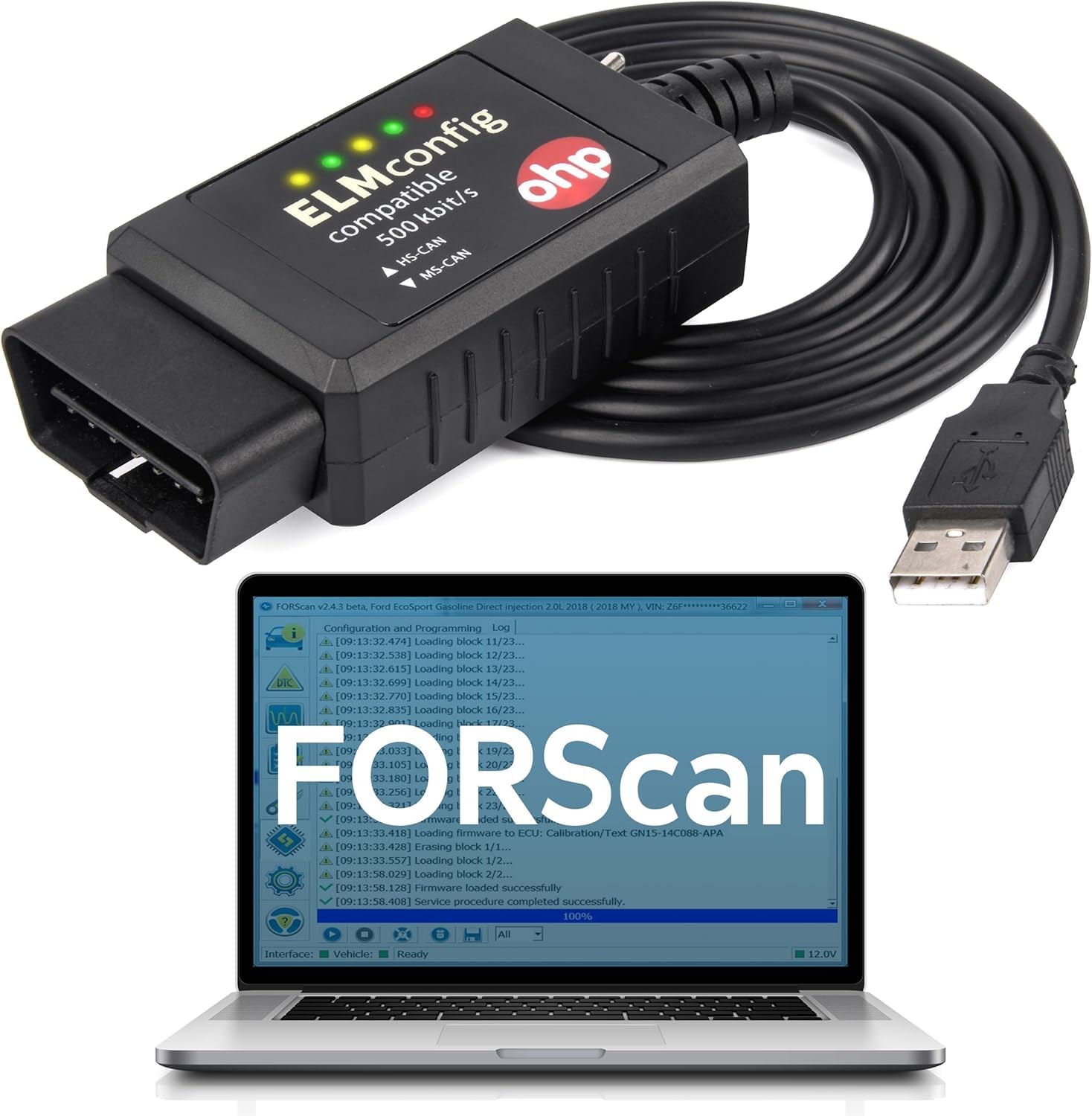
Buy this if you want an affordable entry point for basic FORScan diagnostics on older Ford models.
Pros
- Competitively priced compared to dedicated FORScan-branded hardware
- Includes an HS/MS-CAN switch for broader module access
- Works for key programming and DTC clearing on many older Fords
Cons
- FORScan sometimes flags it as “not fully compatible” on newer vehicles
- Not compatible with 7th-generation Mazda models (Mazda 3, CX-30, CX-50)
- Windows-only, no Mac, Chromebook, or mobile support
This is a budget-tier cable, and the reviews reflect that split personality. Owners of older trucks and sedans report solid results clearing codes and programming keys, while owners of newer F-150s and other CAN-FD-heavy platforms sometimes see FORScan warnings about limited function support.
Treat this as a starting point for basic diagnostics rather than a tool for advanced module programming. If FORScan throws a compatibility warning on connection, that’s the software telling you the hardware has limits, not a glitch to ignore.
OBDLink MX+ Bluetooth Scanner

Buy this if you want one adapter that works across iPhone, Android, and Windows for more than just Ford vehicles.
Pros
- Cross-platform support for iOS, Android, and Windows
- Enhanced OEM support extends beyond Ford to GM, Toyota, Honda, Hyundai, and more
- Built-in over-voltage and battery drain protection
Cons
- Bluetooth introduces more setup variables than a direct USB connection
- Costs more than single-purpose FORScan cables
- Not purpose-built for FORScan the way the OBDLink EX is
The MX+ is the adapter to buy if FORScan is one of several tools in your rotation rather than the only one. It also works with Torque, BimmerCode, Carista, and other apps, making it useful for households with more than one vehicle brand.
For pure Ford-family FORScan work, the wired OBDLink EX still edges it out on stability and depth of module access. The MX+ earns its keep through flexibility, not raw diagnostic depth on any single platform.
Vgate vLinker FS (FORS-can Edition)

Buy this if you want the vLinker FS hardware bundled with a free extended FORScan trial.
Pros
- Includes a free two-month FORScan extended license trial
- Automatic CAN bus switching with 18V FEPS programming voltage support
- Reaches up to 3 Mbps transmission speed for smoother live data
Cons
- Nearly identical to the standard vLinker FS listing, which can confuse buyers comparing prices
- Some users report occasional connection drops on older laptops
- USB-only, no wireless option
This listing and the standard vLinker FS above share the same core hardware and firmware. The differentiator here is the bundled FORScan extended license trial and slightly different packaging, which shoppers should factor into price comparisons rather than treating these as entirely separate products.
Reviewers using this for key programming, transmission adaptation resets, and general Ford Fusion and Expedition diagnostics report reliable results. It’s a safe pick when the standard listing is out of stock or priced higher.
VINTscan ELMconfig ELM327 OBD2 Adapter

Buy this if you specifically want to unlock hidden Ford comfort and convenience features like Global Window or disabled door chimes.
Pros
- Well suited to feature-unlocking mods (Bambi Mod, heated steering wheel activation, disabled double-horn honk)
- Works with FoCCCus, ELMconfig, and FF2 in addition to FORScan
- Reasonably priced for the range of supported software
Cons
- Manual MS-CAN/HS-CAN toggle switch instead of automatic switching
- Some reviewers report MS-CAN access issues on certain vehicles
- No software included, drivers and FORScan must be downloaded separately
This adapter targets a specific crowd: Ford, Lincoln, and Mercury owners chasing feature unlocks rather than deep diagnostics. Reviewers successfully disabled hyper-flash chimes, corrected tire size settings, and enabled Sync 2 features that weren’t active from the factory.
The manual switch is the main trade-off. One reviewer traced a persistent MS-CAN access failure directly to the adapter’s switch, a reminder that toggle-style hardware asks more troubleshooting patience than auto-switching alternatives.
OBDResource ELM327 USB Adapter
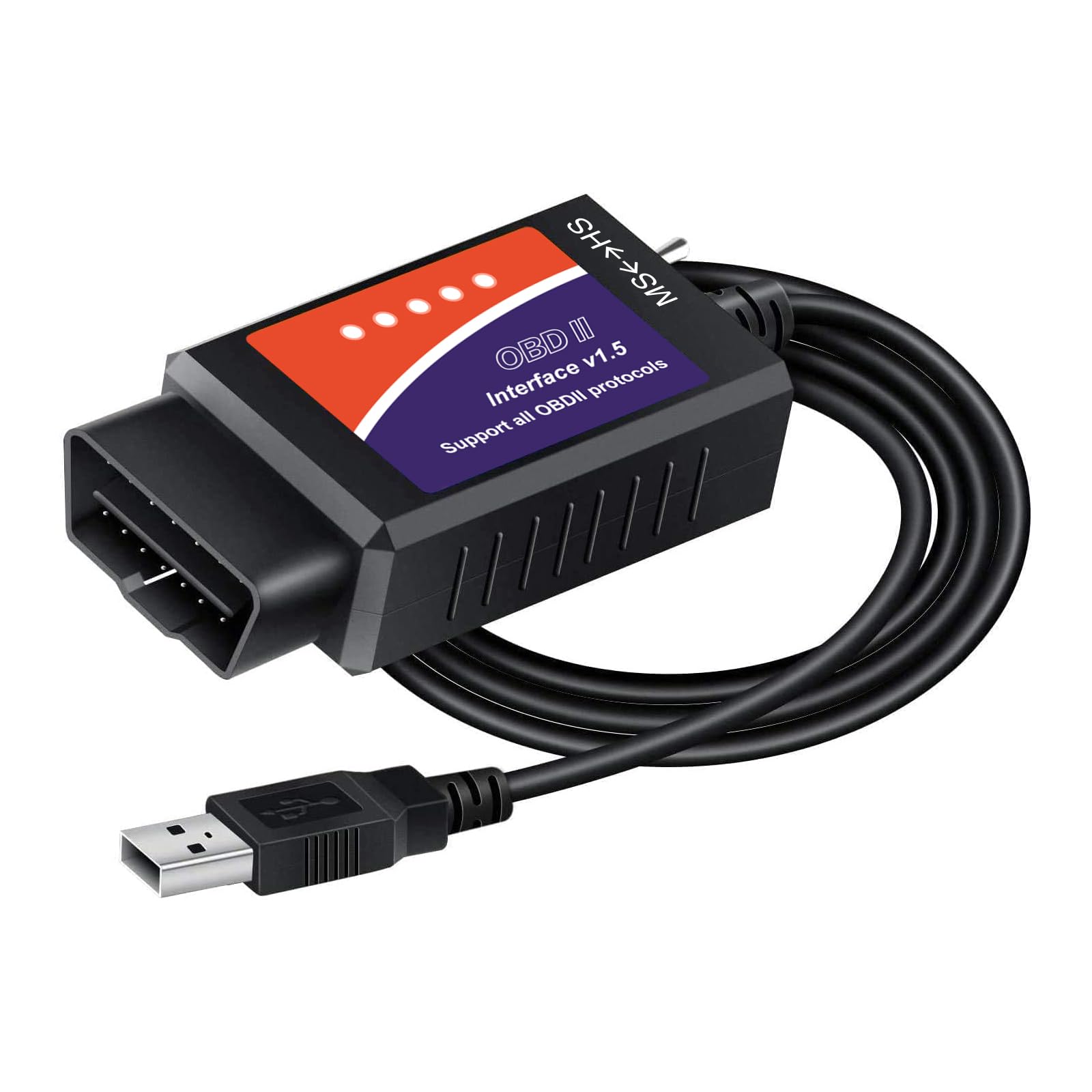
Buy this if you want one cable that works across FORScan, ElmConfig, FoCCCus, and Scanmaster.
Pros
- Supports all five OBD2 protocols including HS-CAN2 and HS-CAN3
- Compatible with multiple diagnostic software packages beyond FORScan
- Covers Ford models through the 2019 model year with updated adaptation programs
Cons
- Requires manual CH340T driver installation, not truly plug-and-play
- One reviewer notes it “cannot run programs,” limiting it to read/clear functions on some vehicles
- Included driver disc is frequently outdated
This is a capable general-purpose ELM327 cable rather than a dedicated FORScan tool, and the reviews reflect that middle ground. Crank relearns, MyKey deactivation, and rack-and-pinion reprogramming all show up as successful use cases.
The driver installation step trips up less experienced users, with at least one reviewer spending hours getting the cable recognized. Budget extra setup time on a first attempt, and confirm the CH340T driver installs correctly before assuming the hardware is faulty.
OBDMONSTER ELM327 OBD2 USB Adapter

Buy this if you need a low-cost switch-style adapter for basic Ford, Lincoln, or Mercury diagnostics.
Pros
- Competitively priced for a switch-equipped ELM327 adapter
- Successfully used for brake controller installs and door lock configuration
- Supports ElmConfig, FoCCCus, and FF2 alongside FORScan
Cons
- Manual MS-CAN/HS-CAN toggle rather than automatic detection
- Quality control issues reported, including a loose USB connector wire
- Not compatible with new 2019+ Mazda 3 and CX-30 models
This adapter fills the same budget niche as several other switch-style ELM327 cables on this list, and the results are similarly mixed. Reviewers successfully used it for brake controller wiring, mirror settings, and basic DTC clearing on F-150s and Rangers.
Build quality is the recurring concern. At least one buyer received a unit with an intermittent USB connection caused by a loose internal wire, a risk worth weighing against the low price before relying on it for anything beyond casual diagnostics.
TOPDON RLink X3 J2534 Adapter
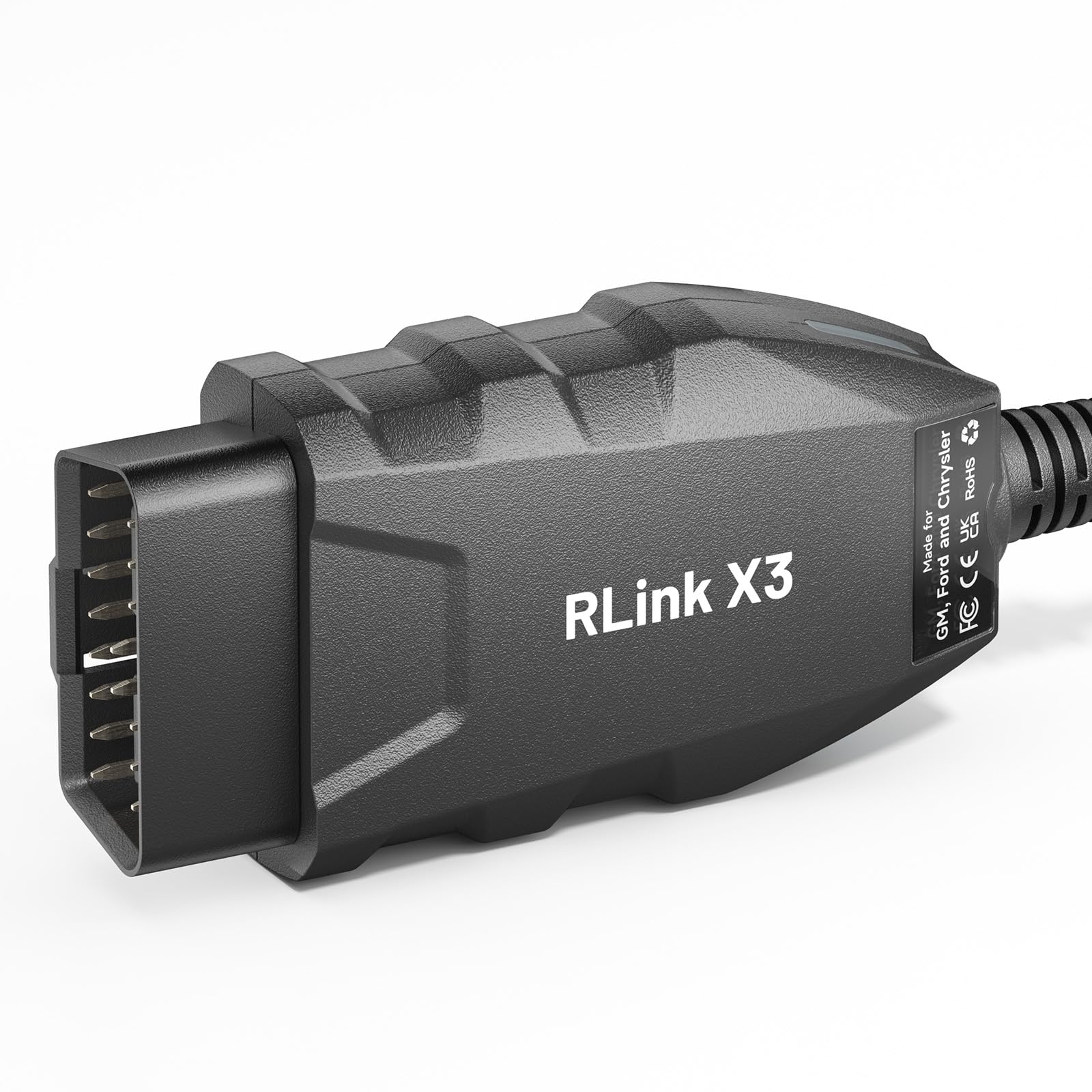
Buy this if you need OEM-level programming across Ford, GM, and Chrysler platforms, not just FORScan.
Pros
- J2534 pass-thru support works with FDRS, FJDS, Tech2Win, GDS2, and Witech 2.0
- Covers model years 2006 through 2025 with CAN-FD protocol support
- Automatic multi-CAN detection reduces manual configuration
Cons
- Requires separate OEM software subscriptions, none are included
- Does not support GM vehicles using the DoIP protocol
- Significantly pricier than USB-only FORScan adapters
This is the outlier on this list: a true J2534 pass-thru device rather than a FORScan-specific cable. It’s built for readers who need factory-level programming access across three manufacturers, not just Ford-family diagnostics.
FORScan works fine on it, and reviewers confirm successful airbag module programming and stable connections during OEM software sessions. The cost only makes sense if you need the multi-brand OEM software compatibility. For FORScan alone, the OBDLink EX or vLinker FS deliver similar Ford-specific results for less money.
Vgate vLinker FD Plus Bluetooth Adapter

Buy this if you want wireless FORScan access on an iPhone or Android device without running a laptop.
Pros
- Works across iOS, Android, and Windows via Bluetooth BLE
- Automatic electronic switch reaches HS-CAN and MS-CAN without a toggle
- Sleep mode current stays low enough to leave plugged in long-term
Cons
- Pairing can be inconsistent, some users report needing two or three connection attempts
- Android users must select “vLinker FD” rather than “vLinker FD+” in Bluetooth settings, a naming detail that trips up first-time buyers
- Making configuration changes during a dropped connection risks corrupting as-built data
Bluetooth convenience comes with a real trade-off here. Reviewers confirm it works well for reading and clearing body control module codes on Ford trucks, but several also mention intermittent pairing and occasional dropped connections mid-session.
That volatility matters more during programming than during simple code reads. One reviewer specifically warns that a dropped connection while modifying as-built data can leave a module in a bad state, so save deeper module changes for a wired connection when possible.
Buying Guide
Choosing the right FORScan adapter comes down to matching the hardware’s connection type, CAN bus handling, and platform support to the diagnostic work you actually plan to do.
Connection Type: USB vs. Bluetooth vs. J2534
USB adapters offer the most stable connection for programming and module configuration, since there’s no wireless interference to worry about. Bluetooth adapters trade some reliability for convenience, letting you run FORScan Lite on a phone without a laptop. J2534 pass-thru devices support OEM diagnostic software beyond FORScan, useful for owners working across multiple vehicle brands.
| Connection Type | Best For | Trade-off |
|---|---|---|
| USB | Programming, module configuration, extended sessions | Requires a laptop nearby |
| Bluetooth | Quick code reads, mobile convenience | Less stable during long programming sessions |
| J2534 | OEM software across multiple brands | Higher cost, requires separate software subscriptions |
HS-CAN and MS-CAN Switching
Ford-family vehicles split communication across two CAN buses. Automatic electronic switching lets FORScan reach both without user input, while manual toggle switches require flipping a physical switch and reconnecting. Automatic switching adapters generally handle advanced functions more reliably and avoid the risk of leaving the switch in the wrong position mid-session.
Operating System Compatibility
Most dedicated FORScan cables are Windows-only, since the full FORScan desktop application only runs on Windows. Bluetooth adapters that support FORScan Lite extend compatibility to iPhone and Android, though FORScan Lite offers fewer advanced functions than the full Windows version.
Vehicle Coverage and Model Year
Check the adapter’s supported model list before buying, particularly for newer vehicles. Some budget adapters explicitly exclude 7th-generation Mazda models and other CAN-FD-heavy platforms. Vehicles from 1996 onward generally have broader support than newer CAN-FD architectures.
Setup Effort
Plug-and-play adapters install drivers automatically, while others require manually downloading and installing a CH340T or FTDI driver. Factor in extra setup time for budget adapters, especially on older Windows machines.
Editor’s Choice
The OBDLink EX remains the adapter to buy for anyone serious about Ford, Lincoln, or Mazda diagnostics on Windows. Its automatic CAN switching, direct endorsement from the FORScan team, and consistent performance during programming sessions outweigh its higher price and lack of mobile support.
For readers who need Bluetooth flexibility across multiple vehicle brands, the OBDLink MX+ is the stronger all-around pick. Those tackling OEM-level programming beyond FORScan should look at the TOPDON RLink X3, while budget-focused buyers doing basic diagnostics can reasonably start with the Vgate vLinker FS.
Conclusion
Matching adapter to task avoids most of the frustration reported in FORScan forums and reviews. A wired USB adapter with automatic CAN switching handles programming and module configuration with the fewest surprises, while Bluetooth adapters serve casual code reading well enough for owners who don’t need deep module access. Budget ELM327 cables with manual toggles still have a place for basic diagnostics on older vehicles, provided buyers accept their limits around programming and newer CAN-FD platforms.
Before ordering, confirm the adapter’s supported model list matches your specific vehicle year, and double check for near-identical listings from the same manufacturer that bundle different software licenses or trial periods.
FAQS
Does FORScan work with any OBD2 adapter? No. FORScan runs on any adapter that connects, but many generic ELM327 cables trigger compatibility warnings or block advanced functions like module programming and as-built configuration on certain Ford, Lincoln, and Mazda models.
What’s the difference between HS-CAN and MS-CAN? HS-CAN (high-speed CAN) handles engine and transmission communication, while MS-CAN (medium-speed CAN) handles body and comfort modules like power windows, mirrors, and door locks. FORScan needs access to both for full vehicle coverage.
Can I use FORScan on an iPhone or Android device? Yes, through FORScan Lite paired with a Bluetooth-compatible adapter. The mobile version offers fewer advanced functions than the full Windows desktop application.
Is a manual switch adapter worse than an automatic switching one? Manual switch adapters work fine for basic diagnostics but require flipping a physical switch and reconnecting to access the other CAN bus. Automatic switching adapters handle this instantly and tend to be more reliable during advanced programming.
Do I need a J2534 adapter for FORScan? No. FORScan works with standard USB and Bluetooth OBD2 adapters. J2534 devices are only necessary for OEM diagnostic software beyond FORScan, such as Ford’s FDRS or GM’s GDS2.
Why does FORScan say my adapter isn’t fully compatible? This warning typically appears with generic ELM327 cables on newer vehicles or specific model years the adapter’s firmware doesn’t fully support. Diagnostic functions may still work, but programming and advanced module access can be limited or unavailable.
