10 Carista Compatible OBD2 Adapter Buying Guide

OBD2 adapters connect to a vehicle’s diagnostic port and let us read data from its computer. They can help identify check-engine codes, view live readings, and monitor basic vehicle systems through a phone app. Some models also support extra functions, such as service resets or vehicle customization.
Carista-compatible OBD2 adapters work with the Carista app, but features can vary by vehicle, adapter, and subscription plan. The best adapter should offer a stable Bluetooth or Wi-Fi connection, broad vehicle support, and access to the Carista features you plan to use. We compared compatible options for connection quality, ease of use, app support, and value to help us identify the adapters worth considering.
Best Carista-Compatible OBD2 Adapters
We reviewed Carista-compatible OBD2 adapters to identify the best options for vehicle diagnostics and customization. Our list covers adapters with reliable connections, broad vehicle support, and useful features for different needs.
Carista EVO Bluetooth OBD2 Scanner
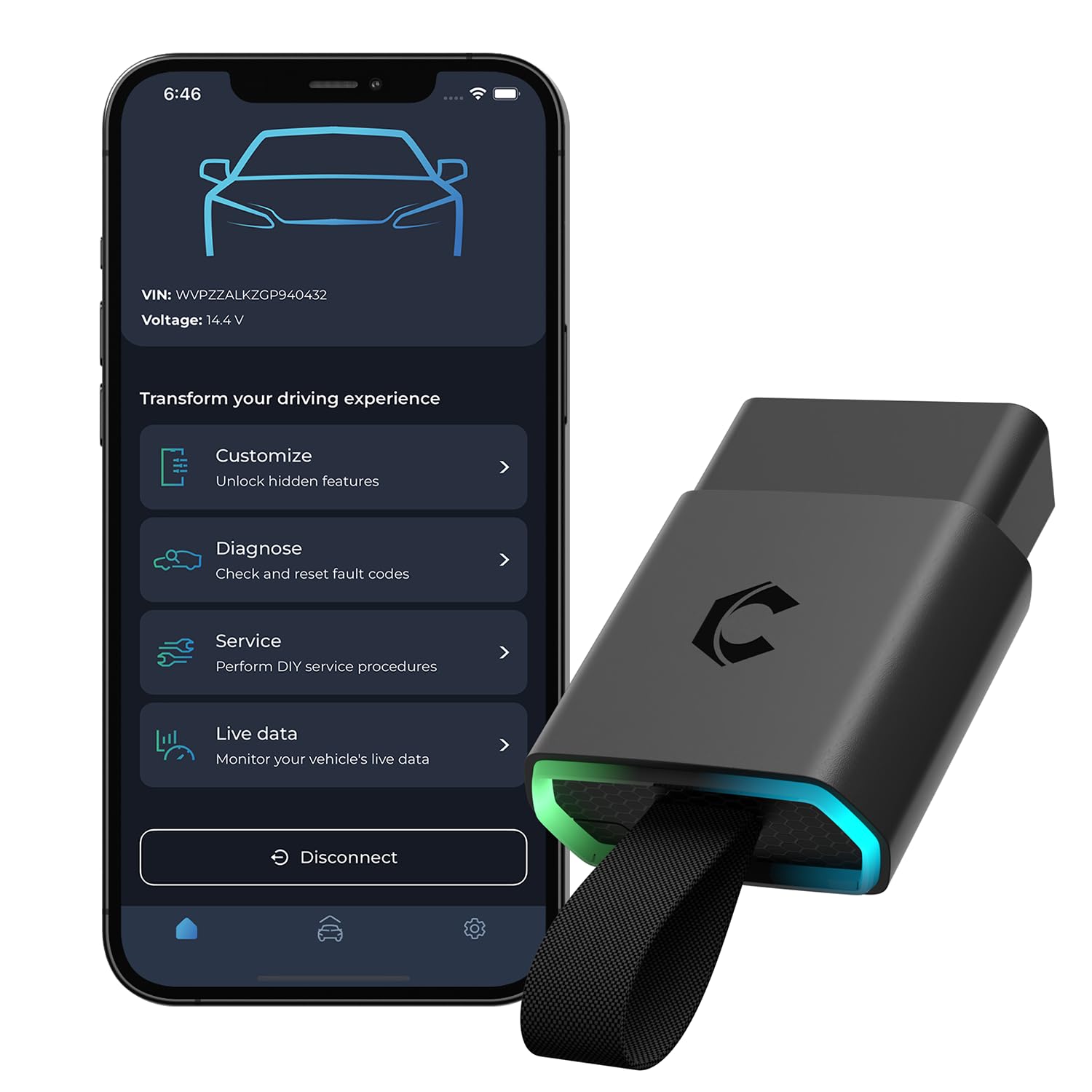
We recommend the Carista EVO for drivers who want simple diagnostics and vehicle customization, provided they accept the ongoing app subscription cost.
Pros
- Quick setup with Android and iOS devices
- Useful coding, service, and live-data tools
- Supports many vehicle brands and models
Cons
- Advanced features require a paid subscription
- Compatibility varies by vehicle and function
- Less useful if we only need basic code reading
We found the adapter easy to connect and pair with the Carista app. The interface keeps common tasks clear, making it practical for checking fault codes, viewing live data, and changing supported vehicle settings.
Its strongest feature is customization. Depending on the vehicle, we could adjust convenience settings and complete some service tasks without visiting a shop. The adapter also supports several major brands, but we would check the exact model and year before buying.
The basic OBD2 functions work after purchase, while advanced diagnostics, coding, and service tools require a subscription. That added cost may reduce its value for occasional users, especially when competing adapters offer more features without a recurring fee.
Overall, the Carista EVO suits hands-on owners who plan to use its app tools often. We would choose it for supported cars that need coding or service functions, not for simple one-time code checks.
Carista OBD2 Bluetooth Scanner
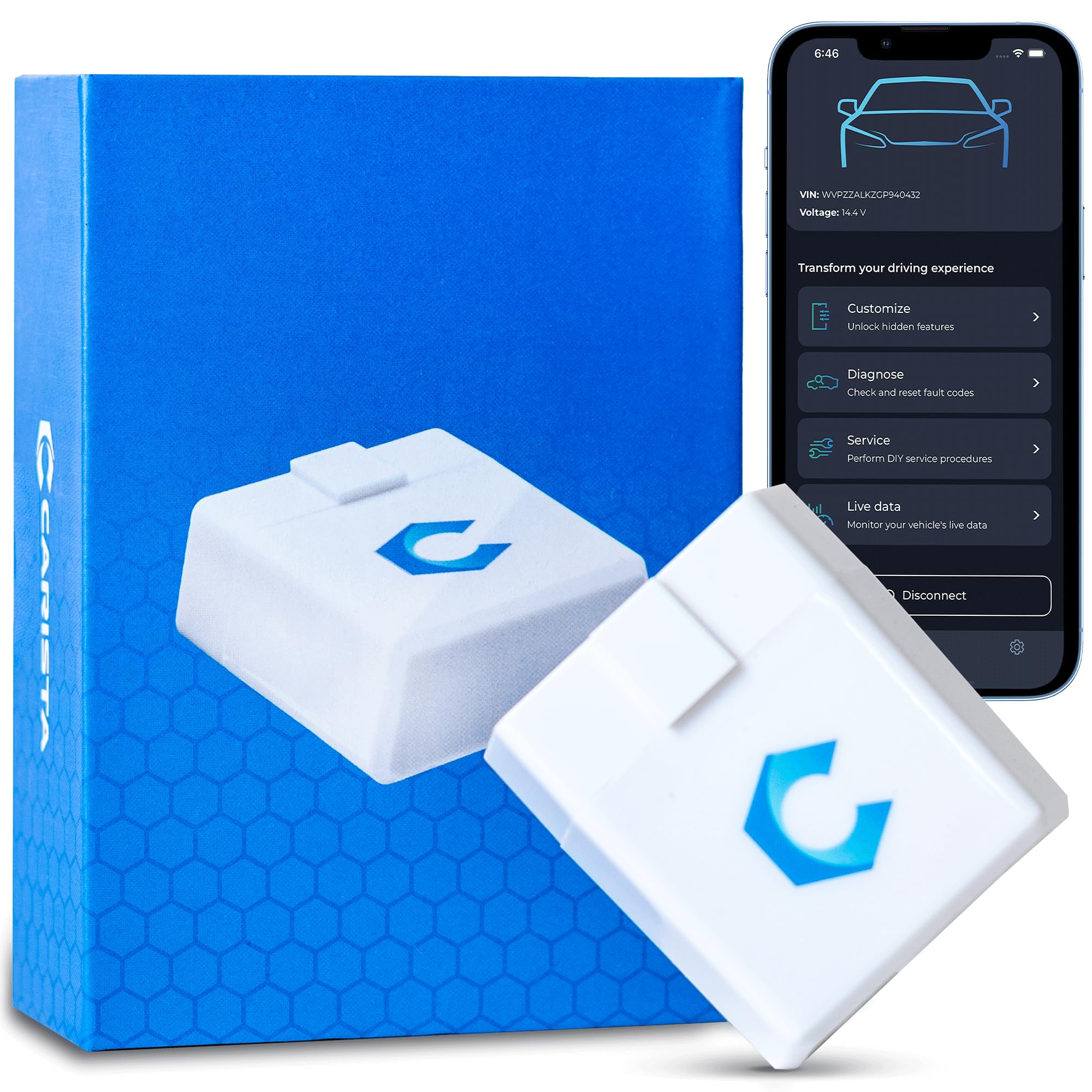
We recommend this adapter for owners of supported Toyota, Lexus, BMW, and other vehicles who want easy diagnostics and coding at home.
Pros
- Simple Bluetooth setup with Android and iOS devices
- Useful code reading, live data, and service functions
- Lets us change certain comfort and vehicle settings
Cons
- Advanced features require a paid Carista subscription
- Compatibility varies by vehicle and model year
- Some newer Volkswagen Group vehicles are not supported
We found the adapter compact and easy to connect. After plugging it into the OBD2 port, the Carista app paired with it without much trouble. Basic code reading worked well for checking faults before visiting a repair shop.
The app also gave us access to useful customization options on supported vehicles. These included convenience settings such as window controls and seat belt alerts. Available choices depend heavily on the vehicle, so we would check Carista’s compatibility tool before ordering.
The main drawback is the subscription model. The adapter unlocks basic OBD2 functions, but advanced diagnostics, service tools, live data, and customization require a paid plan. We also would not buy it for a newer SFD-protected Volkswagen, Audi, SEAT, or Skoda without confirming support first.
For owners with a compatible vehicle, the Carista OBD2 scanner offers a convenient way to handle basic checks and selected settings without special workshop equipment.
Carista OBD2 Bluetooth Adapter

We recommend this adapter for drivers whose vehicles appear on Carista’s compatibility list and who want simple diagnostics and customization through a phone app.
Pros
- Quick Bluetooth connection with iOS and Android phones
- Useful diagnostics, service tools, and live data
- Supports several partner and third-party apps
Cons
- Full features require an in-app subscription
- Vehicle support varies by brand and model
- Basic functions may feel limited without the paid plan
We found the adapter easy to set up: plug it into the OBD2 port, open the Carista app, and connect through Bluetooth LE. The small, lightweight design stays out of the way under the dashboard.
During use, the app provided clear access to fault codes, live readings, and service functions. On supported vehicles, customization options can change settings that many basic code readers cannot reach. Results depend heavily on the vehicle’s make, model, and equipment.
The free app covers some basic functions, but the subscription unlocks the main benefits. We would check compatibility first and view the paid plan as part of the total cost before ordering.
Veepeak OBDCheck BLE

We recommend this adapter for Carista users who want a compact tool for basic engine diagnostics and live data through a compatible app.
Pros
- Connects with iOS and Android phones through Bluetooth LE
- Reads and clears check-engine codes
- Small design includes a storage case
Cons
- Requires a separate app, and some features may cost extra
- Does not support every Carista function or vehicle system
- Does not handle service resets, ABS, or SRS on its own
We found the Veepeak OBDCheck BLE simple to use with supported diagnostic apps. The adapter plugs into the vehicle’s OBD-II port, then connects from inside the app. iPhone users should not pair it through the phone’s Bluetooth settings.
During basic testing, the adapter provides useful engine information, including trouble codes, freeze-frame data, readiness status, and live sensor readings. This makes it a practical choice for checking a warning light before visiting a repair shop.
Compatibility depends on both the vehicle and the app. Most 1996 and newer US-market cars and light trucks support its standard OBD-II functions, but advanced features vary. We would check Carista’s supported vehicle list before buying, especially for ABS, airbag, hybrid, or electric vehicle functions.
The compact body fits neatly under the dashboard and draws power from the OBD-II port. It comes with a small carrying case and a one-year replacement warranty, but it is not compatible with every vehicle-specific app or specialty function.
Veepeak OBDCheck BLE+

We recommend this compact adapter for basic Carista-compatible diagnostics, provided the needed app supports your vehicle and functions.
Pros
- Quick Bluetooth LE connection with iPhone and Android phones
- Reads codes, live data, freeze-frame data, and readiness status
- Small design includes a useful storage case
Cons
- Requires a separate third-party app, and some features cost extra
- Advanced functions depend on the vehicle and app
- Does not support service resets, injector coding, or ABS bleeding
We found the OBDCheck BLE+ easy to carry and simple to connect through a compatible app. It works with many 1996-and-newer vehicles for standard OBD-II checks, including reading and clearing check-engine codes.
During testing, the adapter provided useful live sensor data and helped us review fault information before visiting a repair shop. Its small size also made it easy to leave in the vehicle or store in the included case.
Carista compatibility depends on the vehicle and the app’s supported connection profile, so we would confirm those details before buying. The adapter also does not work with every popular vehicle app, including Carly, MHD, and xHP.
Advanced data, such as transmission temperature or EV battery health, varies by car. For routine code checks and basic monitoring, this Veepeak model offers a practical and affordable option.
iKKEGOL OBD2 Splitter Adapter

We recommend this adapter for drivers who need a flexible way to switch between two Carista-compatible OBD2 devices in a tight space.
Pros
- Swivel connector makes under-dash installation easier
- Compact design helps route cables neatly
- Extra port can reduce wear on the vehicle’s original OBD2 socket
Cons
- Both connected devices cannot communicate at the same time
- The adapter may feel bulky in smaller dashboards
- Some users report a loose fit or unwanted movement
We found the iKKEGOL OBD2 Splitter Adapter simple to install. Its swiveling connector let us angle the cable away from our knees and dashboard trim, which helped in cramped OBD2 locations.
The two female ports work well for switching between Carista and another OBD2 accessory. However, pressing the button changes the active connection; it does not let both devices exchange data with the car at once. We would keep this limit in mind before buying.
Its short cable and small body helped us keep the setup mostly out of sight. Still, heavier adapters can pull on the connector, so we would secure the splitter with Velcro if it hangs below the dash.
The added power connection may help with certain 12-volt accessories, but we would check each device’s power needs first. Overall, this is a useful Carista-compatible option for flexible installation and device switching, rather than true simultaneous scanning.
vLinker iCar Pro BLE4.0

We recommend this compact adapter for Carista users who want broad app support, reliable basic scanning, and access to some advanced vehicle functions.
Pros
- Works with Carista, BimmerCode, JScan, Torque, and other popular apps
- Small design stays out of the way when left plugged in
- Supports iOS, Android, and Windows devices
Cons
- Carista and other apps may require separate purchases
- Electric and hybrid vehicles need manual unplugging to wake the adapter
- Advanced tests may depend on the vehicle and app
We found the iCar Pro BLE4.0 easy to install. After plugging it into the OBD2 port, we paired it with a phone and used a supported app to read live data and check fault codes. Its Bluetooth connection stayed stable during normal use.
The compact body works well for drivers who dislike bulky adapters. We could leave it connected without it getting in the way, while its sleep mode helped limit battery use. Some owners report needing to unplug and reconnect the unit when it stops responding.
This model supports many third-party apps, including Carista, but the adapter does not include app access. We also like its support for iOS, Android, and Windows, along with a one-year warranty and firmware updates.
Compatibility still depends on the vehicle, app, and diagnostic function. It suits DIY scanning and feature changes, but we would check Carista’s supported vehicle list before ordering.
iKKEGOL OBD2 Right-Angle Extension Cable

We recommend this cable for extending a Carista-compatible OBD2 adapter away from your vehicle’s port and reducing clutter around the driver’s footwell.
Pros
- Low-profile right-angle plug fits neatly under many dashboards
- 30 cm length helps position or hide the adapter
- Flexible cable protects the vehicle’s OBD2 socket from repeated use
Cons
- Some users reported connection problems with certain vehicles
- It adds another connection point that can affect data transfer
- It does not include an OBD2 adapter or diagnostic features
We found the cable easy to plug into a standard 16-pin OBD2 port. Its short length worked well for moving a Carista adapter out of the way without leaving a large loop of cable under the dash.
The right-angle connector kept the cable close to the vehicle’s panel. This design can help prevent accidental kicks and makes a permanently connected adapter less noticeable. The flexible outer cable also made it simple to tuck behind the steering column.
Build quality felt solid for a basic extension cable. However, reports of intermittent connections and failed data transfer mean we would test it with our specific vehicle and Carista adapter soon after installation.
This product serves as a cable extension only. We would choose it when the OBD2 port feels cramped or difficult to reach, but we would not buy it as a replacement for a Carista scanner.
icykale 22-Pin OBD1 to OBD2 Cable
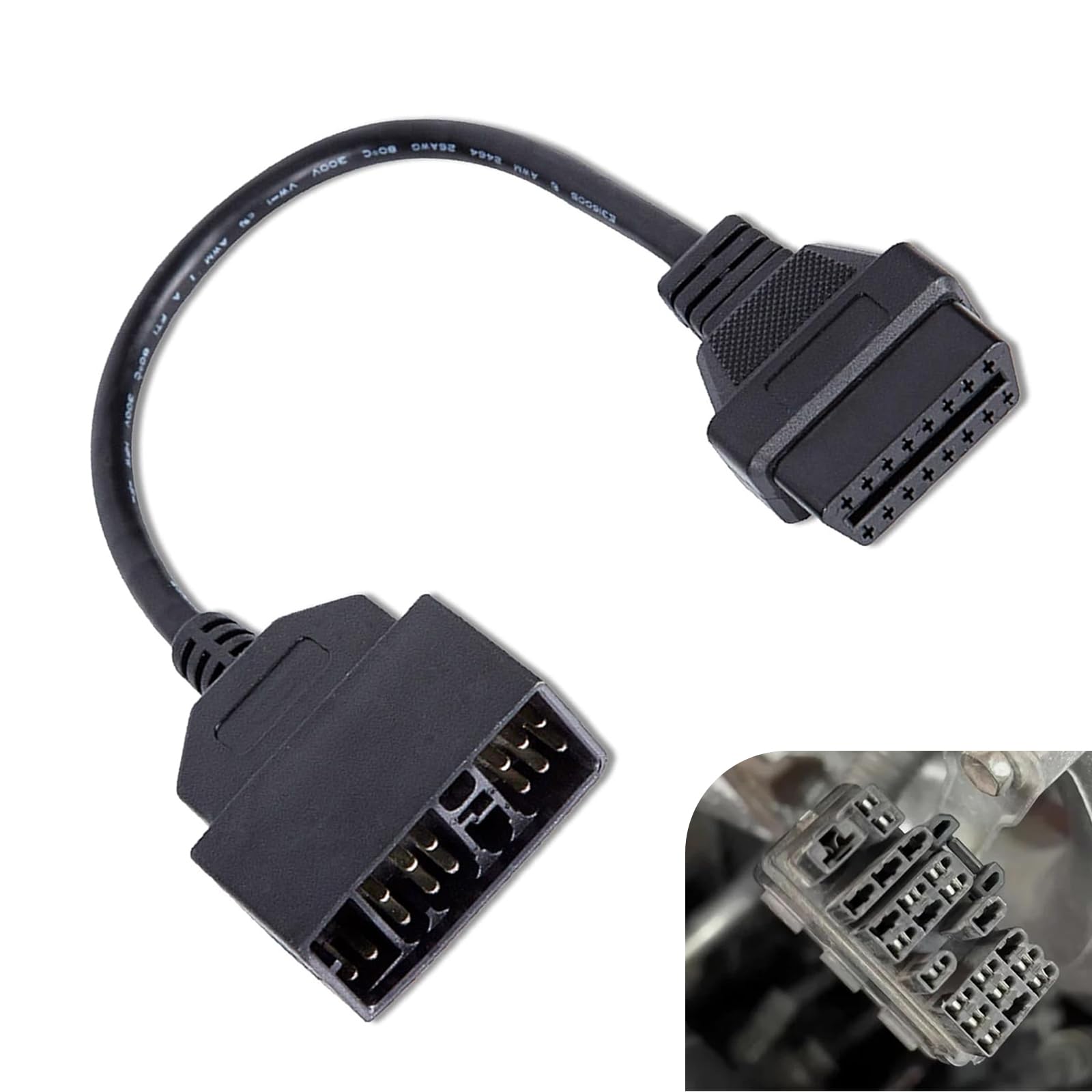
We recommend this cable for owners of specific older vehicles who need to connect a 16-pin scanner, but buyers must confirm fitment before ordering.
Pros
- Simple plug-and-play setup
- Lightweight and easy to store
- Helped connect an OBD2 scanner to a 1991 Toyota Corolla
Cons
- Works only with compatible vehicle models
- Does not perform diagnosis by itself
- Limited customer review history
We found the 11.81-inch cable easy to handle and connect. Its 22-pin OBD1 plug links to the vehicle, while the 16-pin OBD2 end connects to a compatible scanner.
The insulated cable feels practical for occasional garage use. Its protection and anti-interference design should help maintain a steady connection, though results depend on the vehicle and scan tool.
This adapter is only a connector, not a code reader. We would use it with a Carista-compatible OBD2 adapter or another suitable scanner after checking the vehicle’s connector and support list. The reported 3.9-star rating comes from seven reviews, so we would treat the available feedback as limited.
KEVWR USB OBD2 Scanner

We recommend this adapter only for Windows users who need basic code reading and accept a difficult setup process.
Pros
- Supports many older OBD2 and CAN-BUS protocols
- Reads and clears trouble codes
- Shows live sensor data on a Windows computer
Cons
- Limited software support on newer Windows versions
- Setup instructions and included disc may cause problems
- Low customer rating and inconsistent reliability
We connected this scanner to a compatible vehicle and found that its USB design works best with an older Windows laptop. It can read fault codes, clear the check-engine light, and display live data through supported programs.
The broad protocol support gives it useful coverage for many cars and light trucks. However, it does not work like a modern wireless Carista adapter, and we could not use it with a phone or tablet.
Setup remains the main weakness. The included mini-disc and software may not suit newer computers, especially systems running Windows 10 or later. Several buyers also reported broken media, unclear instructions, and connection problems.
For basic PC-based diagnostics, this adapter may help users who already have compatible software and a suitable laptop. We would choose a newer Carista-compatible Bluetooth adapter for easier setup, mobile access, and more dependable everyday use.
Buying Guide
We should choose an adapter that clearly lists Carista support and matches our vehicle’s operating system. We also need to confirm compatibility with our phone, such as Android or iPhone, before buying.
| Feature | What we should check |
|---|---|
| Carista support | Confirm the adapter works with the Carista app |
| Connection type | Choose Bluetooth or Wi-Fi based on our phone |
| Vehicle coverage | Check support for our make, model, and year |
| Protocol support | Look for common OBD2 protocols used by our vehicle |
| Power use | Prefer models that limit battery drain when parked |
| Build quality | Select a durable plug and secure connector |
| App requirements | Check whether the needed features require a subscription |
We should also check the adapter’s connection range and pairing process. A stable connection helps us read fault codes, view live data, and use supported service features without repeated interruptions.
Before purchase, we should review the manufacturer’s compatibility list and return policy. User reviews can reveal connection problems, but we should treat claims about advanced coding or hidden features carefully unless Carista confirms support.
Editor’s Choice
We choose the OBDLink MX+ as our preferred adapter for Carista users. It supports Bluetooth connections on Android and iOS devices, offers stable communication, and works with many vehicle systems that Carista can access.
Its main strengths include:
- Wide vehicle coverage
- Secure Bluetooth connection
- Low power use
- Support for advanced vehicle data
- Compatibility with other diagnostic apps
We value the MX+ because it combines dependable hardware with broad app support. We can use it for reading and clearing fault codes, viewing live data, and accessing supported coding or customization features through Carista.
Before buying, we should check Carista’s current vehicle and adapter compatibility lists. Features can vary by vehicle model, year, trim, and subscription plan. The adapter does not unlock functions that the vehicle itself does not support.
The OBDLink MX+ costs more than basic Bluetooth adapters, but its connection quality and wider compatibility make it a practical choice for regular Carista use.
Conclusion
We should choose a Carista-compatible OBD2 adapter based on our vehicle, phone, and planned tasks. Bluetooth adapters offer easy wireless use, while wired options can provide a direct connection without pairing issues.
Before buying, we should check Carista’s current compatibility list and confirm support for our phone’s operating system. We should also select a reliable adapter with stable connections and regular firmware updates.
For basic diagnostics and service resets, a compatible adapter may meet our needs. Advanced coding features can depend on the vehicle model, subscription plan, and adapter type, so we should verify those details before making a purchase.
FAQs
Which OBD2 adapters work with Carista?
We should choose an adapter listed as compatible by Carista. Common options include the Carista EVO and selected OBDLink models. Compatibility can vary by vehicle, phone, and app version, so we should check Carista’s current compatibility list before buying.
Can we use any Bluetooth OBD2 adapter?
No. Many generic adapters support basic fault-code reading but may not support Carista’s advanced functions. We should avoid unlisted adapters because connection problems and limited features may occur.
Does Carista work with iPhone and Android?
Carista supports many iPhone and Android devices. We should confirm that our phone meets the app’s current operating requirements and that Bluetooth is enabled before connecting the adapter.
What can we do with a compatible adapter?
Depending on the vehicle, we may read and clear fault codes, view live data, customize settings, and access service functions. Available features differ by make, model, year, and equipment level.
Do we need a subscription?
Carista offers some basic functions at no cost, while advanced features usually require a paid subscription. We should review the app before purchase to confirm which functions require payment.
Is it safe to leave the adapter connected?
We should remove the adapter when we finish using it, especially if it remains powered while the vehicle is parked. This helps reduce battery drain and prevents accidental damage to the adapter.
