10 Best OBD2 App Like Carly App for Comprehensive Vehicle Diagnostics

OBD2 apps turn a phone and a small diagnostic adapter into a tool for checking a vehicle’s systems. They can read and clear trouble codes, show live data, track engine performance, and help explain warning lights. Many drivers use them for basic checks before visiting a repair shop or buying a used car.
Apps like Carly add features such as brand-specific diagnostics, service resets, battery checks, and coding on supported vehicles. The best OBD2 app like Carly should match your vehicle, adapter, phone, and repair needs while clearly showing what each feature costs. We focused on compatibility, ease of use, diagnostic depth, data accuracy, and subscription terms to identify the apps that provide the most useful information.
Best OBD2 Apps Like Carly
We reviewed popular OBD2 apps that help us read trouble codes, monitor vehicle data, and diagnose common issues. Our list compares key features, compatibility, ease of use, and overall value.
Veepeak OBDCheck BLE

We recommend this affordable adapter for basic check-engine diagnostics through a compatible phone app, but it does not match Carly’s advanced vehicle-specific features.
Pros
- Works with iOS and Android phones through Bluetooth LE
- Reads codes, clears codes, and shows live sensor data
- Supports several popular third-party apps
Cons
- Requires a separate app, and some features cost extra
- Does not support Carly or many advanced service functions
- Setup requires connecting through the app, not the phone’s Bluetooth menu
We found the Veepeak OBDCheck BLE simple to use with apps such as Car Scanner, Torque, and OBD Fusion. Once we selected Bluetooth LE inside the app, the adapter connected quickly and displayed engine data without much delay.
For basic troubleshooting, it provides useful information such as trouble codes, freeze-frame data, emissions readiness, and live sensor readings. That makes it a practical tool for checking a warning light before visiting a repair shop.
The main limitation is its narrow scope. It focuses on standard OBD-II functions and does not handle features such as ABS or airbag scans, oil resets, injector coding, or electronic parking brake service. App support also varies by vehicle, so we would check compatibility before buying.
Its compact design fits easily in a glove box, and the included case helps protect it between uses. We think it suits drivers who want an inexpensive phone-based code reader, while users seeking Carly-style coding and deeper diagnostics should choose a more specialized system.
Veepeak OBDCheck BLE+

We recommend this compact scanner for basic code reading and live data, but not for users who want Carly-style functions or a built-in app.
Pros
- Works with iOS and Android through Bluetooth LE
- Reads and clears standard engine codes
- Small design includes a storage case
Cons
- Requires a separate third-party app
- Advanced features depend on the vehicle and app
- Does not support Carly or service resets
We found the OBDCheck BLE+ easy to use once we selected the correct connection type inside the app. With Car Scanner, OBD Fusion, Torque, or a vehicle-specific app, it can show trouble codes, freeze-frame data, readiness checks, and live sensor readings.
The scanner fits easily under the dash and stays convenient to carry between vehicles. Its Bluetooth connection worked well with phones, while Android head units may not work with it. We also liked the included case for storage.
This device works best as a low-cost hardware link, not as a complete diagnostic system. Some apps charge extra, and advanced data such as ABS, airbag, battery health, or transmission readings depends on the car and software.
We would choose it for checking a check-engine light or monitoring basic vehicle data. Buyers who need coding, injector programming, electronic parking brake resets, or other service functions should consider a more specialized tool.
OBDLink MX+ Scanner

We recommend the OBDLink MX+ for drivers who want reliable access to advanced vehicle data through apps such as Carista, FORScan, Torque, and BimmerCode.
Pros
- Works with iPhone, Android, and Windows devices
- Provides strong support for several vehicle brands
- Maintains a stable connection during testing
Cons
- Costs more than basic OBD2 adapters
- App features vary by vehicle and software
- Some setup steps require careful reading
We found the MX+ easy to connect and dependable during repeated checks. Its small size also made it simple to leave plugged in while monitoring data such as engine temperature, transmission temperature, and fuel readings.
The adapter supports more than basic check-engine scans on compatible vehicles. We could access extra systems and live data, including information from ABS, SRS, and TPMS modules when the vehicle and app supported those functions.
Its broad app support makes it a useful alternative to a Carly-style setup. However, the adapter does not provide every feature on its own. We still needed to choose an app that matched the vehicle and the task, and some apps required separate purchases.
The MX+ includes battery-drain protection, over-voltage protection, and firmware updates. We also recommend checking the vehicle compatibility guide before buying, since available functions can differ by model and year.
UJS Rocco OBD2 Scanner
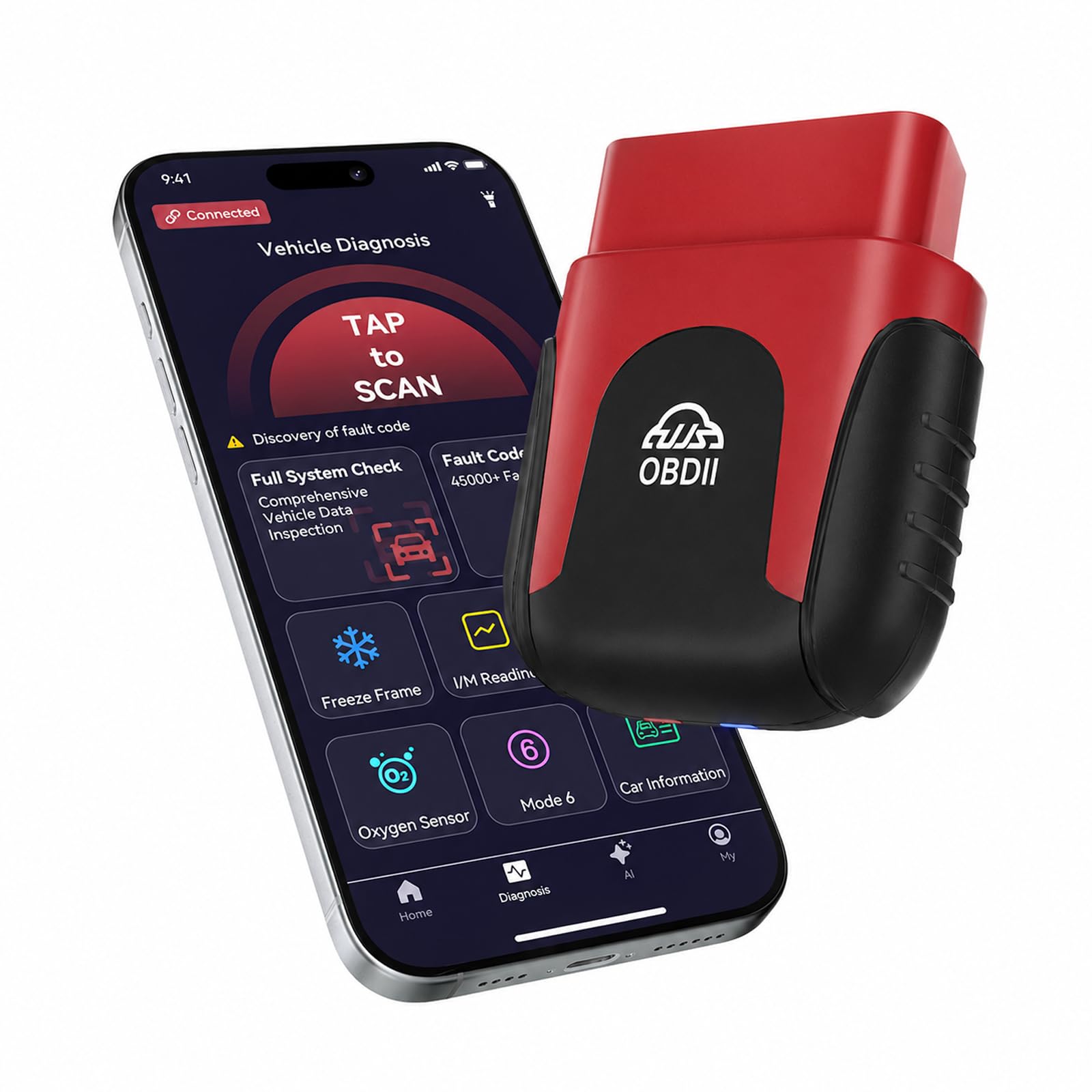
We recommend the UJS Rocco for drivers who want affordable Bluetooth code reading, live data, and basic repair guidance without a subscription.
Pros
- Wireless connection works with iPhone and Android devices
- Shows live readings and can clear many stored codes
- Compact design and lifetime app updates
Cons
- Some users report phone connection problems
- Vehicle coverage may vary by make and model
- The app may offer limited detail beyond basic code results
We found the Rocco easy to place in the OBD2 port and simple to use through its phone app. The wireless design kept the dashboard free of cables, while the small body made it practical to leave in the vehicle.
The app displays common data such as engine speed, coolant temperature, and oxygen sensor readings. Graphs can help us spot changes over time, though the results remain more useful for basic checks than advanced professional diagnosis.
The full scan and code-clearing tools add value after completing a repair. However, reports from some buyers mention connection failures, and one reviewer found the information too basic. We would choose it for routine warning-light checks, not as a replacement for a professional scan tool.
ANCEL AD310 OBD2 Scanner

We recommend the ANCEL AD310 for drivers who want a simple, affordable tool to read and clear engine codes without using a phone app.
Pros
- Quick, clear code readings
- Simple buttons and bright screen
- Compact, durable design
Cons
- Limited to engine and emissions codes
- No wireless connection or mobile app
- May not support older OBD-I vehicles
We found the AD310 easy to use right away. It draws power from the car’s diagnostic port, so we did not need batteries, a charger, or extra setup. The labeled buttons and readable screen make basic checks simple.
The scanner reads trouble codes, freeze-frame data, live data, and emissions readiness status. After fixing a problem, we could use it to clear the stored code. It helps us understand why the check engine light appeared, but it does not identify the exact repair or replace a full diagnostic test.
Its thick cable and compact body feel suitable for keeping in a glove box or tool bag. The 2.5-foot cable also gives us enough room to view the screen from the driver’s seat.
We would choose the AD310 for basic engine diagnostics, especially on compatible 1996 or newer OBD2 vehicles. Drivers who need airbag, ABS, transmission, or advanced service functions should choose a more capable scanner or app.
FIXD Bluetooth OBD2 Scanner
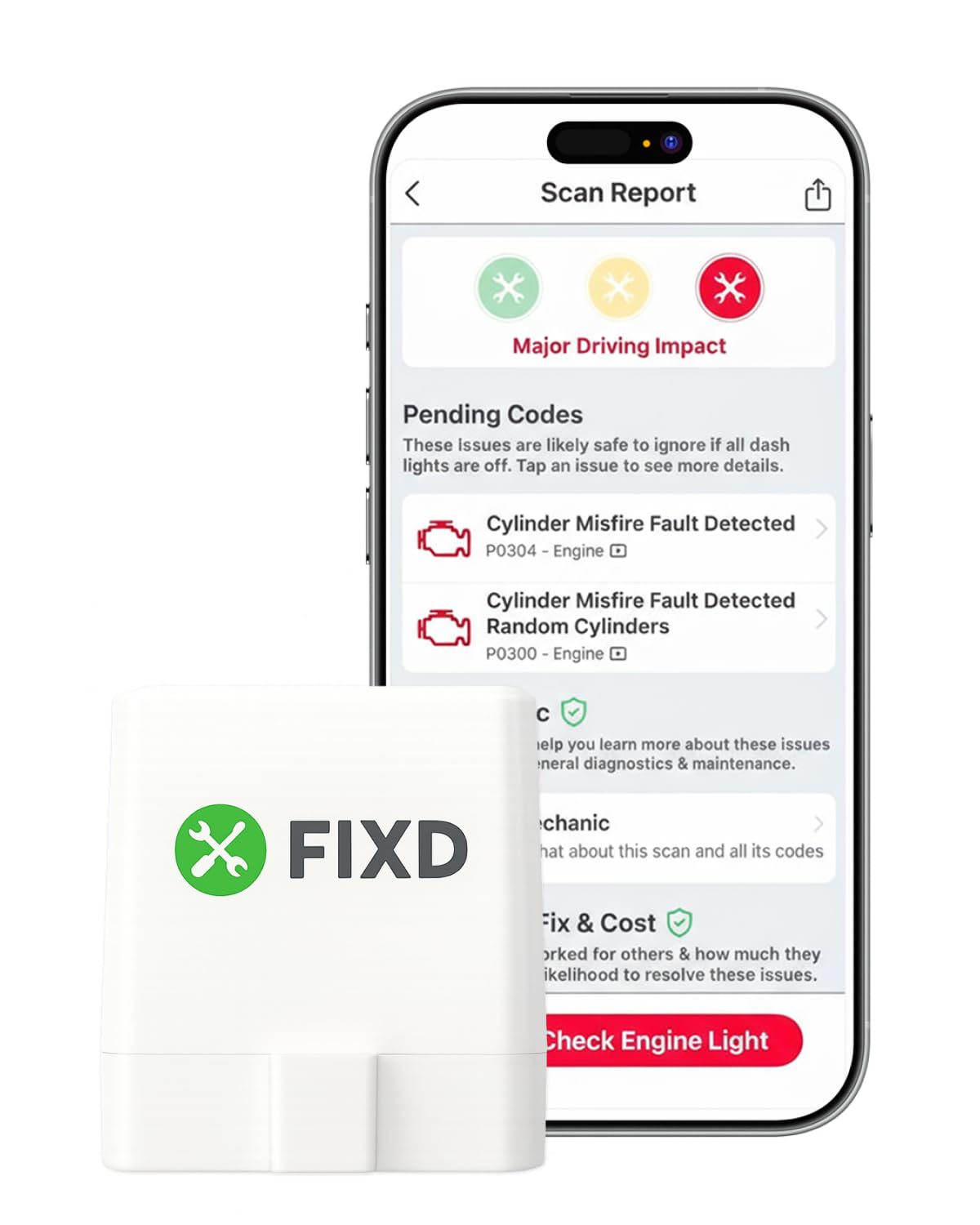
We recommend FIXD for drivers who want simple code readings and maintenance reminders through a phone app, but premium features require a subscription.
Pros
- Easy Bluetooth setup with iPhone and Android devices
- Clear explanations for many engine fault codes
- Supports multiple vehicles in one app
Cons
- Advanced tools depend on a paid plan
- Coverage and features can vary by vehicle
- Some users report trouble with refunds or subscription settings
We found the compact sensor easy to install under the dash. After pairing it with the app, we could scan supported vehicles without using a handheld reader. The app turns many codes into plain language, which helps us decide whether an issue needs immediate attention or a mechanic’s inspection.
FIXD also tracks mileage-based maintenance and lets us save information for several vehicles. That makes it useful for households with more than one car. Its basic scans can help confirm a check-engine problem, but it does not match the live-data depth of a professional shop scanner.
The main drawback is the optional Premium plan. It adds repair estimates, recommendations, vehicle value details, and mechanic support, but some owners feel the app pushes the upgrade too often. We also found that compatibility is not universal, even though the sensor supports many gasoline and hybrid vehicles from 1996 onward and diesel vehicles from 2006 onward.
UMEIJA V011 OBD2 Scanner
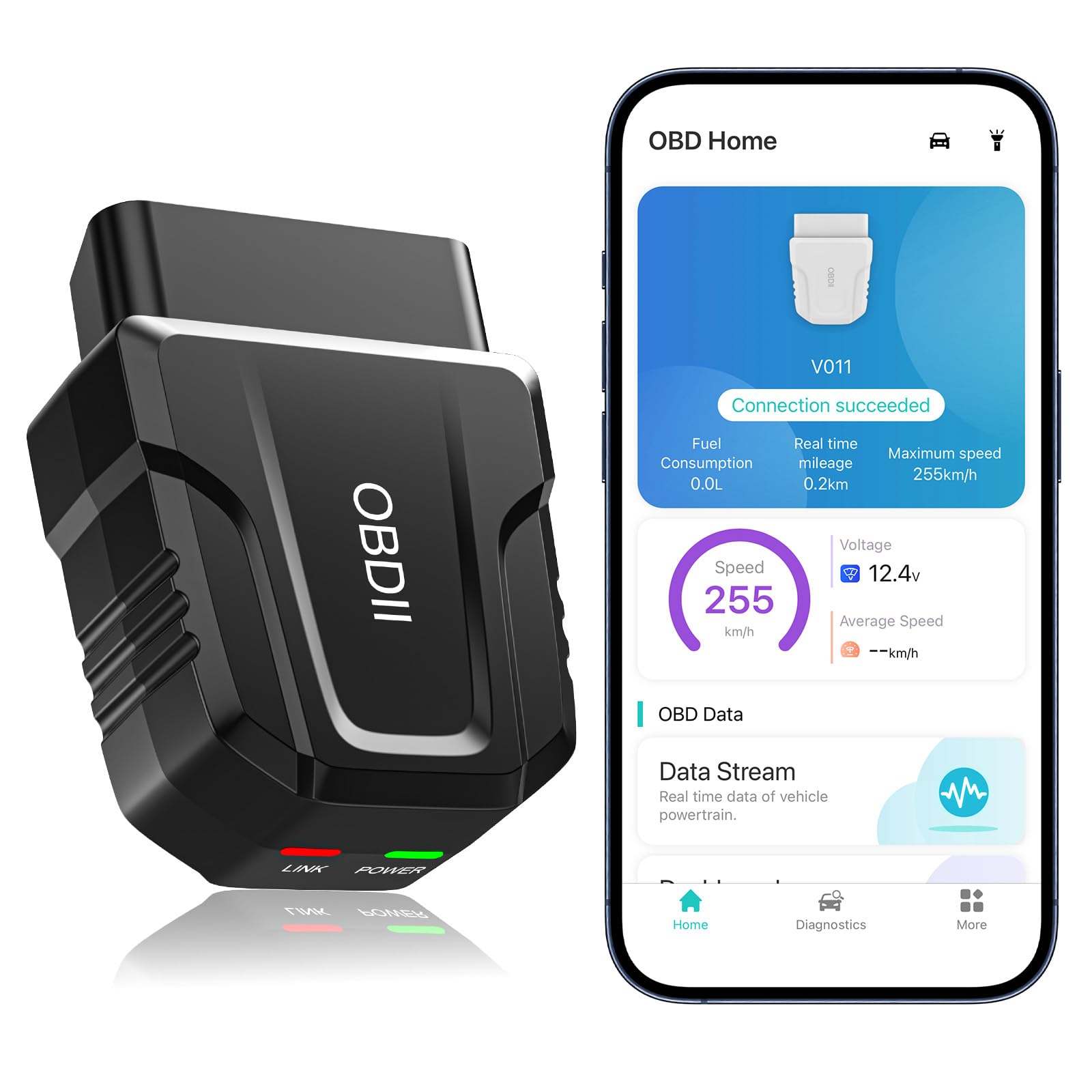
We recommend this scanner for drivers who want affordable code reading, live data, and basic diagnostics through a phone app.
Pros
- Quick Bluetooth pairing with Android and iPhone
- Displays live readings in simple charts
- Reads and clears many engine fault codes
Cons
- Works with the dedicated OBD Home app only
- May lose connection with some vehicles
- Cannot fix an unresolved fault code
We found the UMEIJA V011 easy to carry and simple to set up. After plugging it into the OBD2 port, we opened the app with the car running, and the scanner connected through Bluetooth. iPhone users should avoid pairing through the phone’s Bluetooth settings and connect through the app instead.
The app provides more than basic code reading. We could view live information such as engine speed, coolant temperature, vehicle speed, and voltage. Charts made the readings easier to understand, especially when checking whether a sensor showed an unusual value.
This scanner also reads freeze-frame data, vehicle identification numbers, emission readiness, and onboard monitoring results. We could clear some warning lights after addressing the underlying problem, but it should not replace proper repairs. A few users reported dropped connections, so results may depend on the vehicle and phone.
For routine check-engine troubleshooting, the V011 offers useful features without the cost of a professional scan tool. We recommend unplugging it after use because it draws power while connected.
VQQEFF OBD2 Scanner
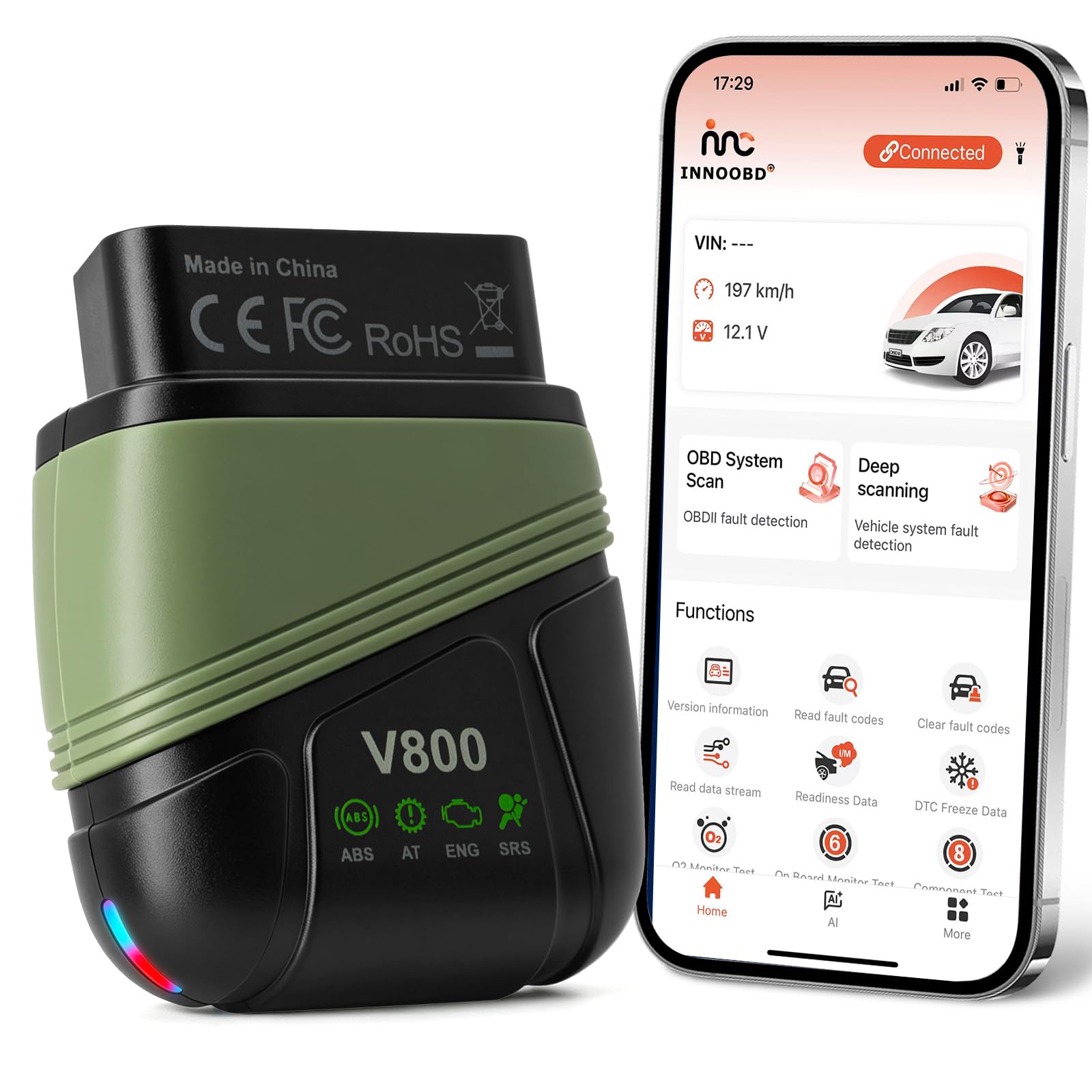
We recommend this scanner for drivers who want four-system diagnostics and a free app, but we would confirm vehicle compatibility before buying.
Pros
- Reads engine, transmission, ABS, and SRS codes
- Includes lifetime app access without subscriptions
- Provides live data, smog checks, and shareable reports
Cons
- Full-system coverage applies only to select brands
- Some users reported connection or compatibility problems
- The app may offer limited support for certain vehicles
We found the VQQEFF unit simple to set up. After plugging it into the OBD2 port, we connected it to an iPhone or Android device through the INNOOBD+ app. Its small size also made it easy to leave in the vehicle during testing.
The scanner does more than read engine codes. On supported vehicles, we could check the transmission, ABS, and airbag systems. Live graphs for items such as engine speed, coolant temperature, oxygen sensors, fuel trim, and battery voltage made changing readings easier to follow.
We also liked the lack of subscription fees. The app includes lifetime access and firmware updates, which helps keep long-term costs down. The report export feature lets us send scan results to a repair shop before approving diagnostic work.
Coverage remains the main concern. The listing limits full four-system support to 44 major brands, while some reviews mention vehicles that did not connect or work as expected. We would check the manufacturer’s compatibility details for our exact make, model, and year before placing an order.
ANCEL BD310 OBD2 Scanner
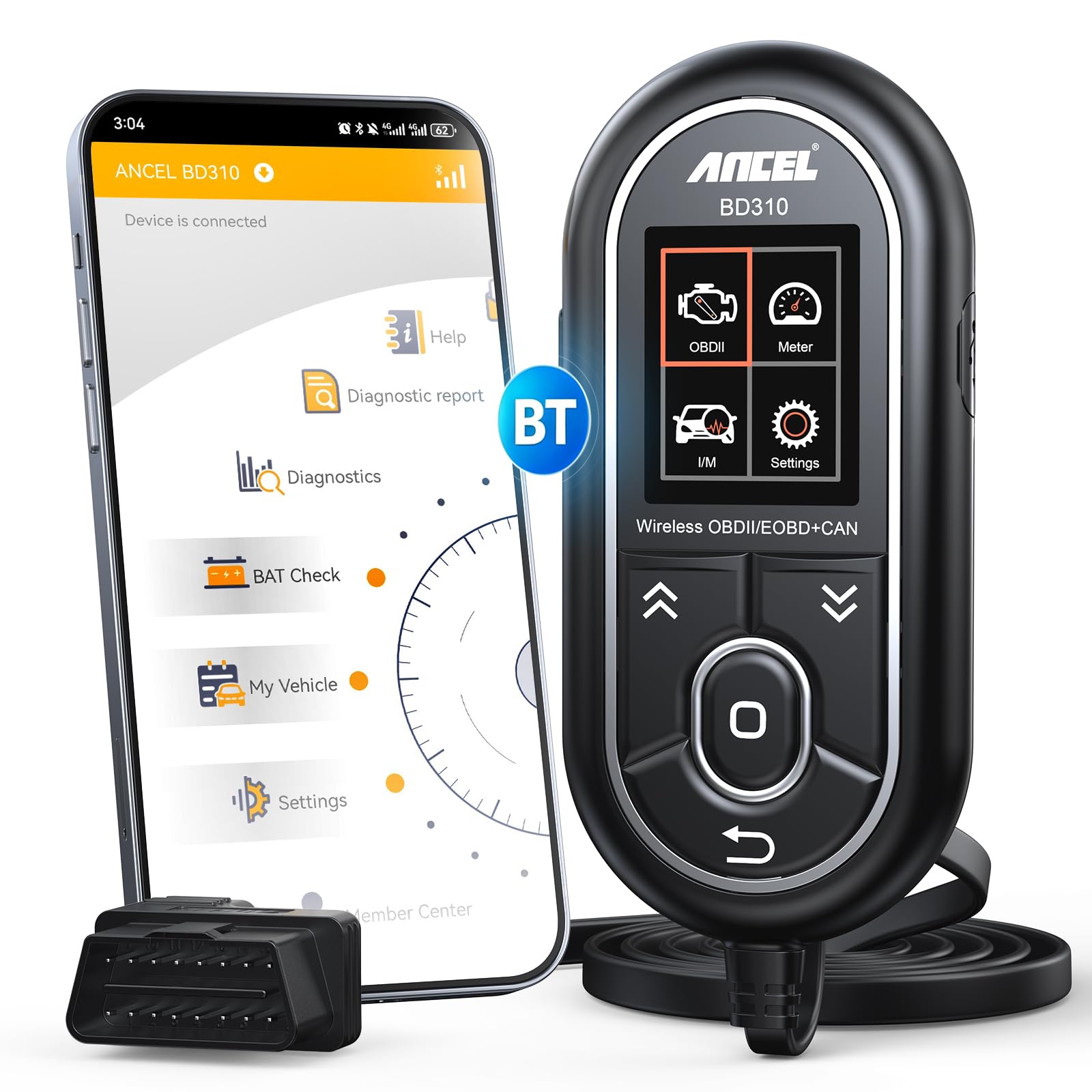
We recommend the ANCEL BD310 for drivers who want wired scanning, Bluetooth app tools, and battery testing without a monthly fee.
Pros
- Wired and Bluetooth operation
- Clear code explanations and live data
- Free lifetime app updates
Cons
- Does not support ABS, SRS, or transmission codes
- The app may require extra setup
- Wired controls may feel less durable
We found the two connection options useful. The handheld unit worked well for quickly reading and clearing engine codes, while the phone app offered more detailed data and easier viewing during longer checks.
The app helped us review live values, battery voltage, trip information, and I/M readiness. Plain-language code details and search support also made it easier to research a warning light before discussing repairs with a shop.
Battery and performance tests add value for routine checks. We could watch charging behavior and review driving data without paying for a separate service.
The main limitation is its coverage. The BD310 focuses on standard OBD2 functions, so it will not clear ABS, airbag, or transmission codes. Some users may also prefer a simpler Bluetooth-only reader if they rarely use the handheld controls.
For home maintenance, emissions checks, and basic engine diagnosis, the ANCEL BD310 offers a practical balance of features and cost.
Vgate vLinker MC+

We recommend the Vgate vLinker MC+ for drivers who want a flexible adapter that works with several OBD2 apps and mobile platforms.
Pros
- Works with Android, iOS, and Windows
- Supports several advanced vehicle networks
- Connects quickly and enters sleep mode when idle
Cons
- Requires a separate diagnostic app
- Some features may require paid app licenses
- Not suitable for 24V vehicles
We found the adapter easy to connect with apps such as Car Scanner, JScan, FORScan, and Dr Prius. Its Bluetooth options give us more setup choices than a basic single-platform scanner, though the best results depend on the vehicle and app we use.
The vLinker MC+ handles more than basic engine codes on supported vehicles. We could access systems such as ABS, air bags, and transmission controls when the app supported those functions. Advanced coding and service features may require an additional fee or vehicle-specific license.
Its compact body stays out of the way when plugged into the diagnostic port. We also like the automatic sleep feature, which helps reduce battery drain during longer periods of connection. The adapter supports many 12V vehicles from 1996 onward, but we would confirm compatibility before buying, especially for brand-specific functions.
With a 4.5-star rating from 186 customer reviews and a one-year warranty, the Vgate vLinker MC+ offers good value for users who already know which diagnostic app they plan to use.
Buying Guide
We should choose an OBD2 app based on our vehicle, goals, and technical comfort. First, we need to confirm that the app supports our car’s make, model, year, and operating system.
| Feature | What we should check |
|---|---|
| Compatibility | Vehicle coverage and phone support |
| Diagnostics | Fault-code reading, clearing, and explanations |
| Live data | Engine readings shown in real time |
| Service tools | Oil resets, battery registration, or other supported tasks |
| Security | Safe connection methods and data handling |
| Cost | App price, adapter cost, and subscription fees |
We should look for clear explanations of fault codes instead of codes alone. Live data can help us monitor sensors, but the app should label readings clearly and explain normal operating ranges when possible.
If we need more than basic diagnosis, we should check which service and coding features the app supports. These tools may depend on the vehicle and adapter, so we should verify compatibility before buying.
The adapter also matters. We should select one with a stable connection, suitable wireless support, and strong user reviews. A low-cost adapter may work for basic scans but may not support advanced functions.
We should review the privacy policy, update history, refund terms, and subscription details. An app with regular updates and responsive support can provide better long-term value.
Editor’s Choice
We choose OBDeleven as the best OBD2 app like Carly for many drivers. It offers code reading and clearing, live data, service functions, and vehicle customization through a compatible adapter.
The app works best with Volkswagen Group vehicles, including Volkswagen, Audi, Škoda, and SEAT. We should check vehicle support before buying, because available functions vary by model, year, and adapter.
| Feature | OBDeleven |
|---|---|
| Basic fault-code scans | Yes |
| Live data | Yes |
| Service functions | Yes |
| Vehicle coding | Supported on selected models |
| iPhone and Android | Yes |
We like OBDeleven because it gives us more control than a basic code reader while keeping the mobile setup simple. Its free features cover basic scans, while advanced tools may require a subscription or separate credits.
For broader brand support, Car Scanner ELM OBD2 offers a useful alternative. It works with many standard Bluetooth and Wi-Fi adapters, but its advanced functions depend on the vehicle and adapter.
Conclusion
We can choose a strong Carly alternative by matching the app to our needs, vehicle, and adapter. Apps such as OBD Auto Doctor, Car Scanner ELM OBD2, and FIXD offer different features, including live data, fault-code reading, maintenance tracking, and vehicle reports.
Before we buy an adapter or subscription, we should check compatibility with our car and phone. We should also confirm whether the app supports advanced functions, such as service resets or coding, because basic OBD2 access does not provide these features on every vehicle.
| Our priority | Feature to look for |
|---|---|
| Basic diagnostics | Code reading and clearing |
| Live monitoring | Sensor data and dashboards |
| Maintenance help | Service reminders and reports |
| Advanced work | Manufacturer-specific functions |
We should treat any app as a diagnostic aid, not a replacement for a qualified technician. A reliable adapter, clear vehicle support, and accurate instructions will help us avoid unnecessary repairs and make better decisions.
FAQS
What is the best OBD2 app like Carly?
We recommend comparing apps such as OBDeleven, Car Scanner ELM OBD2, FIXD, and BimmerCode. The best choice depends on your car, phone, adapter, and the features you need.
Can any OBD2 app code car features?
No. Basic apps can read and clear fault codes and show live data. Coding apps often need a supported vehicle, a compatible adapter, and paid features.
Does Carly work with every car?
Carly supports many vehicles, but its features vary by make, model, year, and engine. We should check the official compatibility list before buying a subscription or adapter.
Do we need a special OBD2 adapter?
Usually, yes. Some apps work with standard Bluetooth or Wi-Fi adapters, while others require a branded device. We should use an adapter listed as compatible with our chosen app.
Can these apps clear the check engine light?
Most can clear stored diagnostic codes after we repair the problem. Clearing a code does not fix the cause, and the warning light may return.
Are free OBD2 apps reliable?
Free apps can provide basic code reading and live data. Advanced functions, vehicle coding, service resets, and manufacturer-specific data may require payment.
Will an OBD2 app diagnose every problem?
No. An app can report data from supported control modules, but it cannot replace a full mechanical inspection. We should use the displayed codes as a starting point for diagnosis.
